
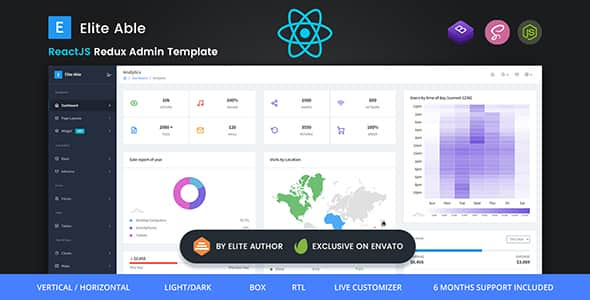
Elite Able – Reactjs Admin Template – Developer UI Dashboard
Original price was: $35.00.$7.00Current price is: $7.00.
Engineered for complex web applications, Elite Able streamlines dashboard production by eliminating boilerplate configuration through a developer-centric codebase. This ReactJS admin solution provides a modular UI structure designed to handle heavy operational datasets without sacrificing rendering performance.
Quick Summary: Elite Able is a full-featured admin template built on ReactJS, Redux, and Bootstrap 4. It provides software developers and enterprise teams with pre-built UI components, flexible page layouts, and integrated data visualization tools to accelerate web application development. It is best suited for complex SaaS platforms, internal management portals, and data analytics dashboards. It is not intended for simple content-focused websites or non-developer site builders.
Technical Specifications
| Core Stack | ReactJS (Latest Version), React Redux Framework, Bootstrap 4 |
|---|---|
| Architecture | Code Splitting Supported, Modular SCSS/JSX Structure |
| Layout Variations | 14+ Total Layouts (Vertical, Horizontal, RTL, Boxed, Master Sidebar) |
| UI Widgets | 150+ Data Widgets, Analytics Cards, and Charts |
| Data Visualization | 40+ Chart Configurations (amChart 4, ChartJS, eChart, Highcharts, NVD3) |
| Source Files | JSX Files, SCSS, JSON, Asset Packages (.jpg, .png) |
| Package Manager | NPM (Node Package Manager) |
Performance and Architecture
Elite Able emphasizes speed and efficient memory management. Built with code splitting out of the box, the template loads only necessary JavaScript bundles per route, ensuring lower initial load times for users. The codebase follows standard clean-code practices, achieving valid HTML/CSS compliance and solid baseline scores across automated audit tools such as GTmetrix and Google PageSpeed Insights.
Layout System and Customization
The core layout engine supports over 14 functional layout modes, allowing developers to switch UI structural behavior via state controls or simple configuration changes.
- Flexible Navigation: Switch between classic vertical sidebars, top horizontal menus, collapsed icon bars, or dual menu structures within the same layout.
- Smart Menu Controls: Built-in live customizer allows immediate testing of navigation themes, active states, and menu behavior.
- RTL & Boxed Support: Native right-to-left language support and boxed view configurations ready for internationalized apps.
- Visual Themes: Includes 30+ dark and light color combinations, material-inspired UI elements, Gmail-style layouts, and custom gradient accents.
Integrated Components and Extensions
Rather than building standard application components from scratch, Elite Able includes an extensive array of production-ready UI blocks and third-party utility integrations.
- Advanced Data Displays: Support for editable tables, standard DataTables, search integration, and FooTables.
- Data Visualization: Pre-configured implementations for Google Maps, Vector Maps, location search APIs, and over 10 distinct charting libraries.
- Form Controls: Wizard layouts, input masking, tags input, Select2 dropdowns, range sliders, and dynamic form validation libraries.
- Pre-built Applications: Functional UI templates for Email clients, Task lists, Helpdesk portals, Chat windows, and File Managers.
- Third-Party Extensions: Ready implementations for CKEditor, TinyMCE, FullCalendar, File Uploaders, and Image Croppers.
Setup and Development Workflow
Working with Elite Able requires an active Node.js environment. Developers can initiate dependencies using standard terminal commands:
- Install dependencies via npm install.
- Configure SCSS variable structures to align with corporate branding guidelines.
- Refer to the included offline documentation for component initialization syntax and Redux state wiring examples.
Frequently Asked Questions
What pre-requisites are needed to run Elite Able?
You need a local environment configured with Node.js and NPM installed. Familiarity with ReactJS framework concepts, Redux state management, and JSX component syntax is required to build and deploy applications using this template.
Can I customize the primary color palette and layout defaults easily?
Yes, the template utilizes modular SCSS files alongside an interactive runtime customizer. You can adjust main theme variables, change menu styles, and toggle layout modes by editing centralized styling files or updating initialization state settings.
Are live API backends included with the application tools?
No, Elite Able provides the front-end user interface components, layout states, and interactive JS workflows. You will need to connect the UI components to your own backend REST APIs, GraphQL endpoints, or database services.
1. Click Add to cart

2. Review your items and click Proceed to checkout

3. Fill in your billing details: Name, Email, and Password
4. Choose your preferred payment method
5. Click Pay via Paypal to proceed

6. Access Downloads to get your files

Related products


