
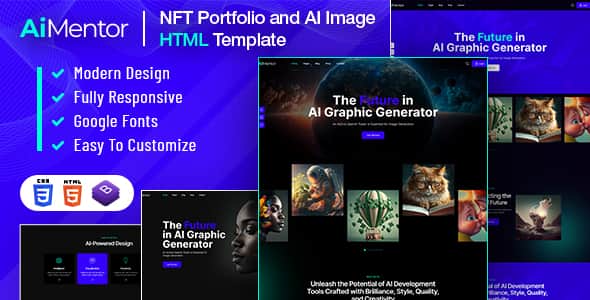
AI Mentor | AI Image Generator HTML Template – Responsive
Original price was: $20.00.$4.00Current price is: $4.00.
Developers launching web interfaces for generative image applications require clean, responsive frontend layouts that handle complex canvas UI components without heavy backend bloat.
AI Mentor is a lightweight HTML5 and Bootstrap v4.0 template designed for AI SaaS platforms, graphic generator tools, and visual content creation services. It provides 07+ pre-built page designs, dynamic layout variations, and a simple CSS setup. It is ideal for frontend developers building AI-driven web apps, but not suited for users seeking a drag-and-drop WordPress site builder.
| Specification | Details |
|---|---|
| Framework | Bootstrap v4.0 |
| Core Tech | HTML5, CSS3, JavaScript |
| JavaScript Libraries | jQuery 3.6.0, Popper.js, WOW.js |
| Page Templates | 07+ Valid HTML5 Templates |
| Icons & Typography | Font-Awesome, Montserrat, Inter |
| Layout Types | Multiple Homepages, Blog Styles, Services, Pricing |
| Browser Compatibility | All Modern Browsers |
Technical Features & Architecture
Layout & Workspace Components
- Multiple Home Page Styles: Offers distinct hero section options tailored for AI image generation platforms and prompt-based tools.
- 07+ Valid HTML5 Templates: Pre-built views for Services, About, Pricing, and dynamic Blog post layouts simplify site structure.
- Workspace Layout: Contains visual space designed to host drawing tools, dynamic controls, effect panels, and gallery views.
Styling & Customization Setup
- Modular CSS: Primary styling is managed within style.css, allowing straightforward modifications to elements like .banner-sec::after.
- Color Scheme Controls: Primary color definitions reside in superclasses.css (located in
aimentor/assets/css), allowing global hex code replacements across the build. - Scroll Animations: Uses predefined class tags via wow.js to implement smooth on-load visual triggers across sections.
- Included Assets: Ships with Font-Awesome icon sets along with Google Web Fonts (Montserrat and Inter).
Frequently Asked Questions
Is AI Mentor a fully functional AI application out of the box?
No, AI Mentor is a static frontend HTML5 template. It provides the structured user interface, styling, and layouts, but requires backend integration with an AI API (such as OpenAI or Stable Diffusion) to handle real-time image processing.
How are global primary colors modified in this template?
Global colors are assigned inside the superclasses.css file located in the CSS assets directory. You can update the default primary color code to your preferred brand color using any text editor.
Are the preview images included in the downloadable source files?
No, the stock images shown in the live demonstration are sourced from Envato Elements and Freepik for preview purposes only. The final delivery files include image placeholder blocks.
1. Click Add to cart

2. Review your items and click Proceed to checkout

3. Fill in your billing details: Name, Email, and Password
4. Choose your preferred payment method
5. Click Pay via Paypal to proceed

6. Access Downloads to get your files

Related products


