
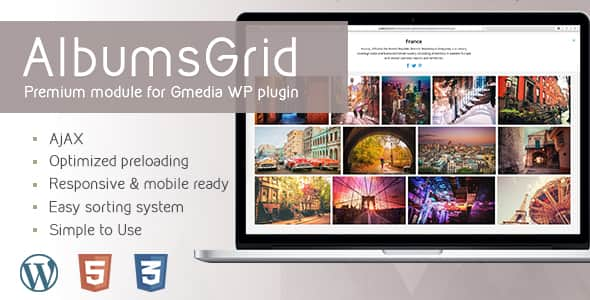
AlbumsGrid 4.2 | Gallery Module for Gmedia plugin – Responsive Grid
Original price was: $17.00.$3.40Current price is: $3.40.
AlbumsGrid 4.2 provides a lightweight display layer for WordPress sites running the Gmedia Library plugin. It enables site builders to deploy dynamic, AJAX-driven image and audio galleries within pages, posts, and sidebars without bloating page load times.
AlbumsGrid 4.2 is a dedicated media presentation module built specifically for the Gmedia WordPress plugin ecosystem. Ideal for photographers, content creators, and site developers who require customized portfolio displays, splash screens, tag clouds, or justified image grids with interactive lightboxes. This module is designed strictly for sites using the core Gmedia plugin and will not function as an independent, standalone gallery plugin.
| Specification | Details |
|---|---|
| Current Version | 4.2 |
| Required Dependency | Gmedia WordPress Plugin (Free) |
| Core Engine | AJAX / JavaScript Lightbox |
| Display Styles | Splash Gallery, Justified Image Grid, Widget Areas |
| Supported File Types | Images, Audio Files |
| Device Compatibility | Fully Responsive & Mobile Optimized |
Key Operational Features
- Flexible Layout Modes: Present media collections as a standard Splash Gallery or switch to a Justified Items Grid without splash pages depending on layout requirements.
- Gmedia Taxonomies Support: Pull images and collections dynamically based on Gmedia Albums, Categories, or Tags. Integrated support for generating a Gmedia Tags Cloud.
- AJAX-Powered Performance: Loads gallery content asynchronously to prevent page refreshes during sorting, filtering, and preloading sequence execution.
- Integrated Audio Playback: Built-in controls allow playback of audio files directly inside the media gallery interfaces.
- Advanced Lightbox Engine: Features scroll-to-navigate and scroll-to-zoom capabilities, alongside straightforward controls for flipping and inspecting full-resolution assets.
- Social & Direct Sharing: Built-in sharing tools enable visitors to distribute entire collections or individual image links directly to external platforms.
- Widget Compatibility: Engineered to integrate cleanly into standard WordPress sidebar and footer widget areas.
Setup and Integration Guide
- Install and activate the free Gmedia WordPress Plugin on your WordPress dashboard.
- Download the AlbumsGrid module ZIP file and upload it into the Gmedia Modules management panel.
- Build your media collection within the Gmedia Library and assign necessary tags or categories.
- Publish the newly generated gallery shortcode into any desired Post, Page, or Widget area.
Version History & Maintenance
Version 4.2: Updated lightbox engine with scroll-to-navigate and scroll-to-zoom functionality; fixed taxonomy terms linking structures.
Version 4.0: Complete core rewrite introducing an updated module engine, modern Lightbox backend, and revised configuration parameters (note: v4.0+ is not interchangeable with legacy versions).
Version 3.2 – 3.3: Added justified grid option without splash pages, introduced persistent page-reload gallery URL state updates, and corrected baseline CSS styling.
Frequently Asked Questions
Does AlbumsGrid 4.2 function without the base Gmedia plugin?
No. AlbumsGrid 4.2 is a module expansion specifically created to render media managed inside the Gmedia WordPress Plugin. You must have the primary Gmedia plugin installed on your WordPress instance first.
Can I display audio tracks alongside standard images?
Yes. The module includes native sound playback controls within the gallery interface, enabling audio file playback alongside photo collections.
How does the gallery handle layout rendering on mobile devices?
AlbumsGrid 4.2 uses a fully responsive layout framework combined with touch-friendly lightbox controls, enabling mobile users to pinch, zoom, or swipe through media items seamlessly.
1. Click Add to cart

2. Review your items and click Proceed to checkout

3. Fill in your billing details: Name, Email, and Password
4. Choose your preferred payment method
5. Click Pay via Paypal to proceed

6. Access Downloads to get your files

Related products


