
Team Showcase – WordPress Plugin | Responsive Staff Directory
Original price was: $24.00.$4.80Current price is: $4.80.
Managing staff directories, team profiles, or department listings on a WordPress site often devolves into tedious layout formatting or heavy page builder bloat. Team Showcase addresses this challenge by providing a lightweight custom post type framework combined with flexible presentation options.
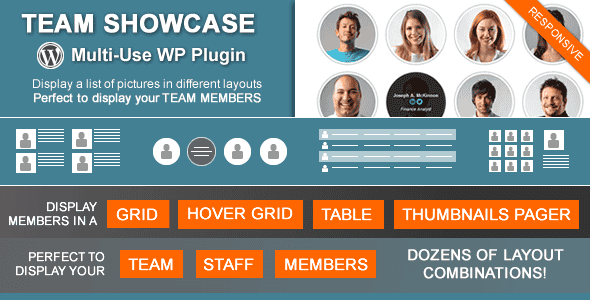
Team Showcase is a WordPress plugin designed for developers, agency builds, and site administrators needing to display structured staff directories, team lists, or client testimonials. Built on standard custom post types, jQuery filtering, and schema-ready markup, it provides four responsive layout modes without requiring page builder dependencies. It is ideal for organizations requiring clear, categorized team presentations, but is not designed to function as a full-featured community or social network platform.
| Technical Specification | Details |
|---|---|
| Latest Version | 25.05.14 |
| Platform & Language | WordPress (PHP 8 Compatible) |
| Primary Layout Modes | Grid, Hover Grid, Table, Thumbnails Pager |
| Filtering & Ordering | jQuery/Isotope Category Filter, Drag & Drop Backend Re-ordering |
| SEO & Structured Data | Built-in JSON-LD (Person Schema) Support |
| Integration Methods | Shortcode Generator, PHP Native Functions, Text Widgets |
| Localization Support | WPML & Polylang Integration Ready |
| Bundled Libraries | FontAwesome 5, bxSlider, Isotope JS |
Core Layout Modes and Display Mechanics
The plugin supplies four built-in layout engines to present member data depending on design requirements:
- Responsive Grid: Displays entries in customizable column counts with entry data positioned below, to the left, or to the right of the member image.
- Hover Grid: Displays a clean image grid where contextual details reveal dynamically when visitors hover over a entry.
- Data Table: Offers a streamlined, tabular layout well-suited for high-density corporate rosters or technical department lists.
- Thumbnails Pager Layout: Operates similarly to a media gallery, rendering smaller member thumbnails that display detailed bios in a primary focus area upon selection.
Layout Customization and Visual Control
Site builders can modify column counts, text alignments, and element compositions across different screen sizes. Images support multiple styling options, including square, rounded, or circular masks, alongside visual enhancements such as grayscale filters, custom borders, and drop shadows.
To simplify configuration, Team Showcase includes theme presets that apply pre-configured combinations of spacing, typography, and image styling in a single click.
Taxonomies, Drag-and-Drop Ordering, and Schema Support
Content can be grouped into custom categories or departments. The frontend jQuery category filter allows site visitors to instantly refine displayed members by department without refreshing the page. For administrative management, the plugin features drag-and-drop ordering directly inside the WordPress backend entry archive.
To assist search engine indexing, Team Showcase generates JSON-LD structured data using the official Person schema format, assisting search engines in identifying entry metadata for rich snippet availability.
Shortcode Generator and Developer APIs
The built-in shortcode generator includes a live layout preview, letting users adjust parameters visually before generating code. In addition to shortcodes for pages and widgets, the plugin outputs clean PHP functions for developers who prefer hard-coding showcase layouts directly into custom WordPress theme template files.
Custom Fields and Renaming Flexibility
Each profile entry includes structured input fields for Job Titles, Telephone Numbers, Email Addresses, Physical Locations, Personal Websites, and Social Profile Links (Twitter, Facebook, LinkedIn, YouTube, Vimeo, and custom profiles). Developers can add supplemental custom fields via settings or include freeform HTML content. Furthermore, the default feature label (“Members”) can be renamed in the administrative settings to suit alternative uses, such as product catalogs, vendor listings, or speaker rosters.
Frequently Asked Questions
Can Team Showcase be embedded directly into custom WordPress theme files?
Yes. The included shortcode generator automatically builds corresponding PHP functions alongside standard shortcodes, allowing developers to embed layouts directly into theme templates.
Does the plugin support structured data for search engine visibility?
Yes. Team Showcase can automatically output JSON-LD Person schema markup, helping search engines properly interpret staff profile details for potential rich snippets in search results.
Can the default “Members” custom post type label be changed?
Yes. The plugin settings allow administrators to rename the core entity label to fit other use cases, such as “Staff”, “Partners”, “Speakers”, or “Services”.
1. Click Add to cart

2. Review your items and click Proceed to checkout

3. Fill in your billing details: Name, Email, and Password
4. Choose your preferred payment method
5. Click Pay via Paypal to proceed

6. Access Downloads to get your files

Related products


