
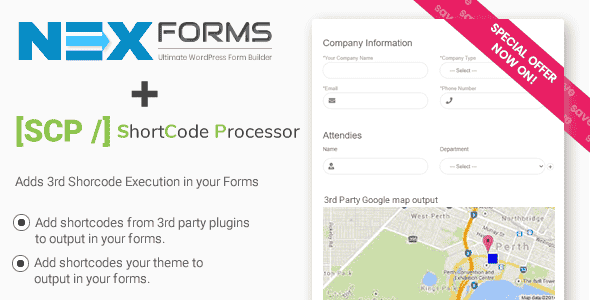
Shortcode Processor for NEX-Forms – Form Shortcode Add-On
Original price was: $6.00.$1.20Current price is: $1.20.
Executing dynamic content inside web forms often presents output parsing and rendering challenges in standard site builders. Shortcode Processor for NEX-Forms solves this by allowing site managers to embed both custom and third-party WordPress shortcodes directly into any form field, layout container, or display area.
This extension is built specifically for WordPress developers and site administrators using the NEX-Forms core form builder plugin. It enables real-time processing of custom logic, external plugin outputs, and dynamic data scripts inside active form fields. It is best suited for developers who need to display dynamic data, media embeds, or third-party plugin content within single or multi-step forms. It is not suited for standalone use without the primary NEX-Forms plugin installed.
Technical Specifications
| Specification | Details |
|---|---|
| Product Type | WordPress Form Builder Extension / Add-on |
| Core Requirement | NEX-Forms Plugin |
| Supported Shortcode Types | Custom PHP Shortcodes, 3rd Party Plugin Shortcodes |
| Placement Flexibility | Anywhere on the form canvas (HTML blocks, fields, panels) |
| Framework Compatibility | WordPress 5.x+, WPML, Font Awesome 5 |
Key Capabilities & Features
Shortcode Processor expands the display capabilities of your form layouts by integrating directly with the WordPress shortcode API.
- Custom Shortcode Execution: Run custom PHP-generated shortcodes inside field labels, descriptions, paragraph fields, and submission response areas.
- Third-Party Plugin Integration: Render data tables, media players, dynamic user metrics, or content snippets generated by external plugins within active forms.
- Layout Integration: Works alongside NEX-Forms drag-and-drop grid builder without breaking field layout structures or front-end responsiveness.
Core Form Engine Performance
Because the add-on runs natively within the NEX-Forms core architecture, forms maintain optimal page load efficiency and compatibility features:
- Compatible with multi-step workflows, conditional visibility rules, and auto-advance logic.
- Supports full front-end responsive grid layouts across mobile, tablet, and desktop viewports.
- Maintains compatibility with custom CSS styling, Material Design, and Bootstrap themes.
Frequently Asked Questions
Does this extension work as a standalone WordPress plugin?
No, Shortcode Processor is an add-on built specifically for NEX-Forms. You must have the core NEX-Forms plugin active on your site for shortcodes to process correctly inside forms.
Can shortcodes be embedded inside conditional content blocks?
Yes, shortcodes placed inside HTML elements or content blocks subject to conditional logic rules will trigger and render whenever that section becomes visible to the user.
Where inside the form can shortcodes be placed?
Shortcodes can be placed virtually anywhere across the form interface, including field containers, custom HTML blocks, step headers, and success message confirmation screens.
1. Click Add to cart

2. Review your items and click Proceed to checkout

3. Fill in your billing details: Name, Email, and Password
4. Choose your preferred payment method
5. Click Pay via Paypal to proceed

6. Access Downloads to get your files

Related products


