
Agivee – Corporate Business HTML Template | UIkit 3 & Sass
Original price was: $8.00.$1.60Current price is: $1.60.
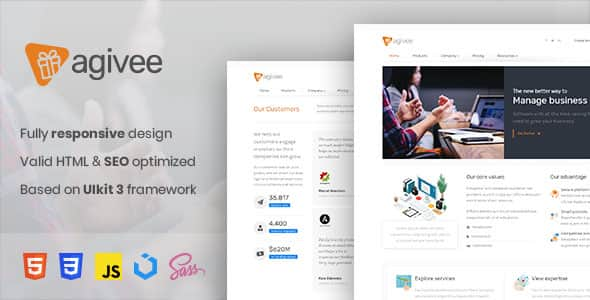
Front-end developers building corporate agency sites often face bloated, heavy frameworks. Agivee addresses this by pairing a minimalist corporate aesthetic with the lightweight UIkit 3 CSS framework and modular Sass architecture.
Agivee is a responsive static HTML template engineered for corporate websites, business portfolios, and enterprise services. Built with flexible SCSS files, it provides a clean baseline that yields fast page speed and easy layout customization. This product is best suited for front-end developers and web designers who need a lightweight HTML/CSS markup foundation. It is not suitable for non-technical users seeking a no-code WordPress plugin or drag-and-drop website builder.
| Specification | Details |
|---|---|
| Template Type | Static HTML5 Template |
| Current Version | v2.0.0 |
| CSS Framework | UIkit 3 |
| Stylesheets | Sass (SCSS) Included |
| Design Style | Minimalist Corporate |
| Optimization | Mobile Responsive, SEO Friendly Markup |
Technical Features and Highlights
- UIkit 3 Integration: Built entirely on the modern UIkit 3 CSS framework, offering a clean component library without unnecessary script bloat.
- Modular Sass Files: Includes structured SCSS source files, making it straightforward to override style variables, typography, and site-wide color schemes.
- Mobile-First Layout: Fully responsive design adapted for desktop monitors, tablets, and mobile screen breakpoints.
- Clean Semantic HTML5: Structured with standard markup and optimized header hierarchies to support search engine indexing.
- Optimized Rendering Performance: Stripped of heavy background dependencies to help improve core web metrics and load times.
Version 2.0.0 Release Notes
The v2.0.0 release is a major overhaul of the template core. The framework was fully migrated to UIkit 3, providing updated CSS component logic and refined mobile layout responsiveness across all included templates.
Frequently Asked Questions
Is Agivee a ready-to-install WordPress theme?
No, Agivee is a static HTML/Sass template package. It requires manual front-end development or integration into a content management system if you plan to manage content via a dashboard.
How do I alter the theme colors and styling?
You can edit the primary styling using the provided Sass (.scss) files. Adjusting the primary variable file allows you to recompile global colors and spacing rules across the entire template.
1. Click Add to cart

2. Review your items and click Proceed to checkout

3. Fill in your billing details: Name, Email, and Password
4. Choose your preferred payment method
5. Click Pay via Paypal to proceed

6. Access Downloads to get your files

Related products


