
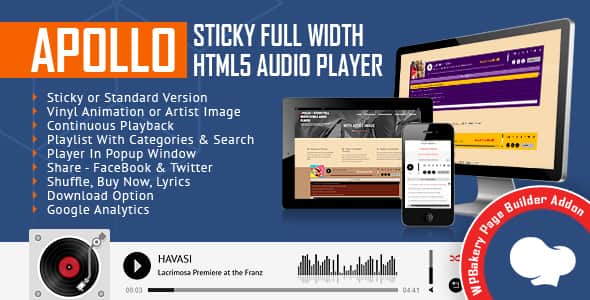
Apollo – Sticky Full Width HTML5 Audio Player for WPBakery Page Builder
Original price was: $16.00.$3.20Current price is: $3.20.
Adding persistent audio playback to a WordPress site often leads to interrupted playback or layout inconsistencies across different screen sizes. The Apollo extension for WPBakery Page Builder resolves this by giving developers and site managers a customizable, full-width HTML5 media player that attaches to page borders or embeds directly within post content.
Apollo is a targeted WPBakery add-on built for podcasters, musicians, sound engineers, and digital content creators who need to stream MP3 and OGG media smoothly. Powered by a lightweight ~50KB JavaScript file and compatible with jQuery 3.5+, the player offers category filtering, interactive playlist searching, popup window options, and continuous playback. It is best suited for WordPress sites built with WPBakery requiring sticky media controls, but it is not intended for non-WPBakery page builder workflows without using alternative standalone plugin versions.
| Technical Specification | Details |
|---|---|
| Product Type | WPBakery Page Builder Addon / Extension |
| Current Version | 2.7 (Released June 27, 2025) |
| Supported Audio Formats | .MP3, .OGG |
| File Overhead | ~50KB JavaScript footprint |
| Skins Included | 2 Default Skins (Black & White) + Full Color Customization |
| Display Modes | Sticky (Bottom/Top), Standard Embedded, Popup Window |
| Script Dependencies | jQuery 3.5+ Compatible |
| Mobile Compatibility | iOS, Android |
| Analytics Integration | Google Analytics playback tracking |
Core Features & Operational Capabilities
- Adaptive Layout & Sticky Modes: Expand the player to full parent div width across responsive designs. Set the player to lock to a page view or disable sticky functionality to embed it inline within post content.
- Uninterrupted Continuous Playback: Maintain audio playback state via session management when users transition between pages across your site.
- Popup Window Mode: Allow visitors to launch audio playback inside an isolated popup window to browse site menus without audio disruption.
- Visual Customization & Animations: Toggle between a spinning vinyl record animation or static artwork images for featured tracks, and edit skin color parameters to match your branding.
- Categorized Playlists & Live Search: Organize tracks under single or multiple categories. Site visitors can filter tracks by title or author with dynamic search results updated on keystroke.
- Monetization & Metadata Buttons: Configure external links for song purchases (“Buy” button) and song lyric pages with custom target windows and label controls.
- Track Download Control: Enable desktop users to download active audio files directly, or toggle the download trigger off per track requirements.
- Analytics & Multi-Instance Support: Connect Google Analytics to log playback events, and insert multiple player instances across individual pages or site sections.
Browser & Platform Operational Notes
Due to native restrictions enforced by modern web browsers and mobile operating systems, specific playback rules apply:
- iOS Restrictions: Apple iOS disables JS-controlled audio autoplay. Volume adjustments on iOS devices must be controlled via physical device hardware buttons rather than screen sliders.
- Autoplay Policies (Safari 11+ & Chrome 66+): Modern browser security models block programmatic audio autoplay without prior user interaction on the document.
Frequently Asked Questions
Frequently Asked Questions
Can I install Apollo if I do not use WPBakery Page Builder?
No, this version operates explicitly as an addon/extension for WPBakery Page Builder. Non-WPBakery sites require a standalone WordPress audio plugin version.
Does continuous playback work across all browser navigation clicks?
Yes, the player uses session tracking to remember track timing and state when navigation occurs, keeping audio playback active across page loads.
How heavy is the frontend script impact on page performance?
The core JavaScript file carries an efficient footprint of roughly 50KB, ensuring minimal impact on site loading speeds and performance metrics.
1. Click Add to cart

2. Review your items and click Proceed to checkout

3. Fill in your billing details: Name, Email, and Password
4. Choose your preferred payment method
5. Click Pay via Paypal to proceed

6. Access Downloads to get your files

Related products


