
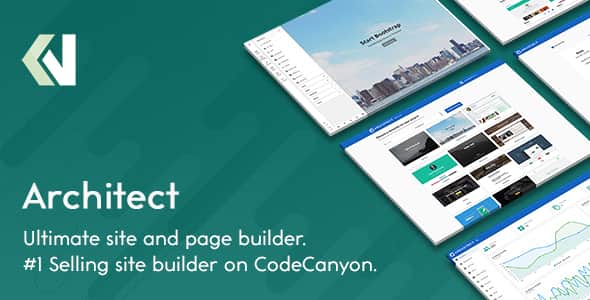
Architect – HTML and Site Builder – Drag & Drop SaaS App
Original price was: $59.00.$11.80Current price is: $11.80.
Deploying a self-hosted website builder or launching a web creation service often involves managing complex dependencies and restrictive licensing frameworks. Architect provides a lightweight, PHP-driven site editor and page builder that gives developers complete control over the application stack through full, unencrypted source code.
Architect is an unencrypted, PHP-based HTML page builder and SaaS framework created for developers, agencies, and digital product creators. Powered by PHP 8.1+ and MySQL, it enables users to generate responsive websites through visual drag-and-drop mechanics or operate a recurring subscription platform. It is best for teams requiring an embeddable site builder or standalone SaaS engine, but it is not suited for native WordPress plugin environments without custom API integration.
Technical Specifications
| Parameter | Specification |
|---|---|
| Backend Framework | PHP 8.1+ & MySQL Database |
| Required Extensions | PDO Extension, php_fileinfo Extension |
| Design Framework | Google Material Design Base |
| Built-in Templates | 20+ Pre-designed Templates |
| Core Elements | 40+ Drag-and-Drop Modular Elements |
| Source Code Delivery | 100% Unencrypted Source Code |
| Authentication Options | Native Login, Social Auth (Google, Facebook, Twitter) |
Key Operational Features
Visual Site Construction & AI Generation
- Live Visual Canvas: Adjust paddings, margins, shadows, borders, text properties, and background layers directly in real time.
- Integrated Code Editors: Access manual CSS and JavaScript code panels directly from the workspace for custom scripting.
- Native AI Capabilities: Generate and modify image and text assets on demand, with configurable administrative token usage limits per user.
- Contextual Element Controls: Right-click on elements to access precise alignment, row/column adjustments, and precision structural editing.
- Undo & Redo State Manager: Revert changes or step forward through project iterations using the state tracking system.
Monetization & SaaS Platform Engine
- Subscription Tier Management: Create flexible membership plans with defined feature access, asset usage thresholds, and monetization rules.
- Custom Domain Support: Allow users to publish projects to custom subdomains or connect external top-level domains.
- FTP & Local Exporting: Direct project publishing to external servers via FTP or instant downloadable ZIP project files.
- Ad Placement Slot Manager: Monetize free tier users by injecting display ad units automatically across predetermined workspace layouts.
Administrative & Site Management Tools
- Template Import Engine: Upload any custom HTML or Bootstrap theme directly from the admin panel to expand the builder library.
- Role & Permission System: Grant or restrict system capabilities for specific user roles and administrative tiers.
- Embedded Analytics: Monitor visitor data and user metrics directly within the administrative control panel via integrated Google Analytics.
- Multilingual Support: Edit translation strings and configure multi-language interfaces directly from the backend.
Frequently Asked Questions
Frequently Asked Questions
What server requirements are required to run Architect?
Architect requires a web hosting environment running PHP 8.1 or higher along with a MySQL database. The server must also have the standard PDO and php_fileinfo extensions enabled.
Can I import third-party Bootstrap themes into the builder?
Yes. The administrative control panel allows administrators to upload custom HTML and Bootstrap templates directly. Once uploaded, these templates become immediately accessible to users inside the workspace.
Is the underlying code encrypted or obfuscated?
No. Architect is delivered with 100% unencrypted source code. Developers can freely inspect, modify, extend, and integrate the application into custom software architectures without restriction.
1. Click Add to cart

2. Review your items and click Proceed to checkout

3. Fill in your billing details: Name, Email, and Password
4. Choose your preferred payment method
5. Click Pay via Paypal to proceed

6. Access Downloads to get your files

Related products


