
WPCode pro – Insert Headers and Footers + Custom Code Snippets – WordPress Code Manager
Original price was: $47.00.$9.40Current price is: $9.40.
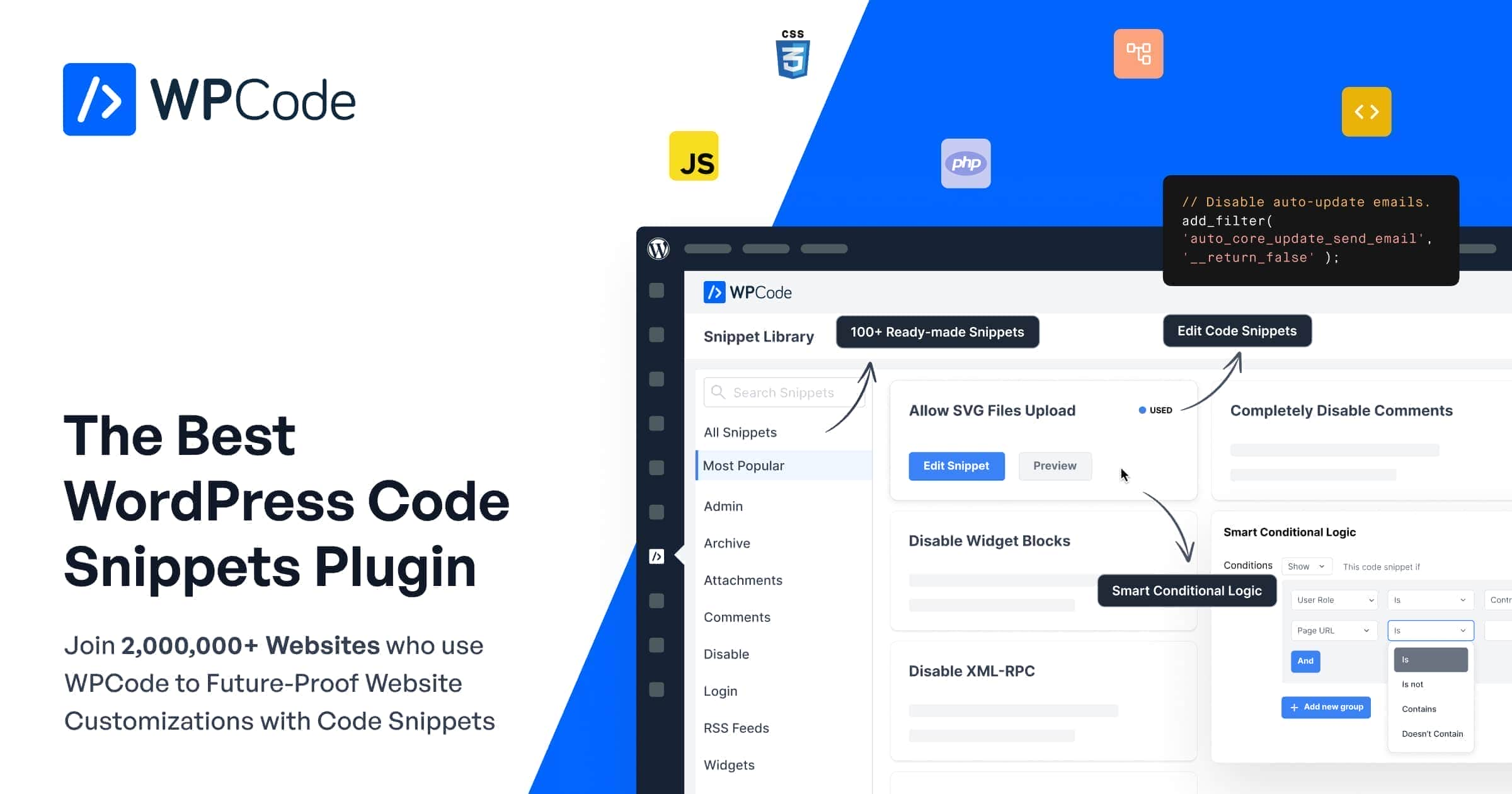
Editing a WordPress theme’s functions.php file to insert tracking pixels or custom PHP functions is a risky practice that often leads to syntax errors and broken websites. WPCode Pro (originally launched as Insert Headers and Footers by WPBeginner) solves this operational challenge by offering a secure, centralized dashboard to manage all your website scripts and custom code snippets. Trusted by over two million websites globally, this utility ensures your custom modifications remain intact even when you update or switch your active theme.
Maintain Site Integrity with Future-Proof Script Management
When you append custom code directly to theme files, you risk losing those modifications during the next update cycle. This plugin runs your PHP, JavaScript, CSS, and HTML snippets independently, executing them safely as if they were natively placed in your functions.php file. To prevent the dreaded “White Screen of Death,” the integrated smart code validation scanner automatically checks your syntax for errors before saving, ensuring your site remains fully operational.
Dynamic Execution with Smart Conditional Logic
Writing complex PHP queries to restrict scripts to specific pages or user roles is time-consuming. The built-in conditional logic interface allows you to define execution rules without writing a single line of control flow code.
You can easily configure scripts to:
- Execute snippets exclusively for logged-in users or specific membership roles.
- Limit tracking pixels to precise URLs or custom post types.
- Load specific scripts based on the visitor’s device type, such as mobile-only or desktop-only.
- Trigger header and footer code depending on the referral source.
Automated Insertion and Custom Code Placement
Manually placing shortcodes is no longer your only option. The automated insertion engine gives you granular control over where your code executes. You can instruct the plugin to output scripts sitewide, restrict them to the WordPress administrative backend, or position them relative to your content (such as before or after post paragraphs). For e-commerce stores, deep integrations allow you to hook custom functions directly into specific WooCommerce and Easy Digital Downloads actions.
Cloud-Based Code Storage and Pre-Built Library
Forget about searching through old text files or GitHub gists. The WPCode Cloud Library lets you save your custom code snippets to a private, secure cloud repository. This allows you to instantly deploy your preferred functions across multiple client projects, reducing setup times significantly.
Additionally, the built-in library provides verified, ready-to-use PHP snippets for common tasks, allowing you to:
- Disable the WordPress REST API or XML-RPC protocol.
- Turn off comments globally or disable the Gutenberg block editor.
- Enable secure SVG file uploads without installing separate single-purpose plugins.
- Generate clean custom code using up-to-date WordPress standards and APIs.
Comprehensive Feature Checklist
- Rapid Configuration: Get up and running in minutes with a clean, intuitive dashboard.
- Code Snippet Library: Access a growing database of pre-tested, safe PHP functions.
- Syntax Highlighting: Write and edit code easily using a built-in editor that supports PHP, JS, CSS, and HTML.
- Error Prevention: Smart validation identifies syntax issues before they go live.
- Global Header & Footer Control: Add Google Analytics, Facebook Pixels, and custom CSS without manual theme edits.
- Shortcode Support: Manually embed your PHP code snippets anywhere on your site using shortcodes.
- Ad & Content Injection: Automatically insert rich text advertisements or promotional notices inside your posts and pages.
- Data Portability: Import and export your entire collection of snippets and scripts for easy migration between staging and production.
- Device-Specific Targeting: Optimize page speeds by loading heavy scripts only on desktop or mobile devices.
History and Brand Guidelines
First created under the name Insert Headers and Footers by Syed Balkhi and the WPBeginner team in 2011, the utility underwent a major rebranding in 2022 to become WPCode. This evolution addressed user requests for a more robust code management platform. When referencing this tool in documentation or reviews, please observe the official branding guideline: write the name as “WPCode” with the first three letters capitalized.
1. Click Add to cart

2. Review your items and click Proceed to checkout

3. Fill in your billing details: Name, Email, and Password
4. Choose your preferred payment method
5. Click Pay via Paypal to proceed

6. Access Downloads to get your files

Related products


