
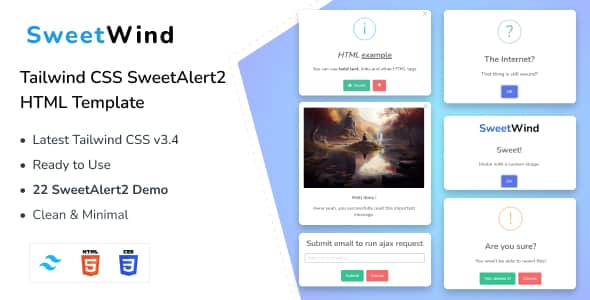
SweetWind – Tailwind CSS SweetAlert2 HTML Template | Modern UI
Original price was: $16.00.$3.20Current price is: $3.20.
Frontend developers building modern web applications often struggle with default browser alerts that disrupt custom design systems. SweetWind provides a pre-styled, component-ready markup solution by pairing Tailwind CSS v3.4 with the SweetAlert2 modal engine.
SweetWind is a specialized HTML template built for frontend developers, UI designers, and web creators seeking responsive popup components. Powered by Tailwind CSS v3.4 and integrated with SweetAlert2, it provides 22 distinct notification modal styles for web applications, blogs, and media platforms. Ideal for projects requiring pre-styled alert workflows; not suited for non-technical users looking for drag-and-drop CMS themes.
| Technical Specification | Details |
|---|---|
| CSS Framework | Tailwind CSS v3.4 |
| Modal Library | SweetAlert2 (22 Demo Variants) |
| Markup Standard | HTML5 & CSS3 (W3C Validated) |
| Typography | Google Fonts Integrated |
| Display Compatibility | Retina Ready & Fully Responsive |
| Cross-Browser Support | Chrome, Firefox, Safari, Edge |
| Documentation | Included |
Key Functional Features
- 22 SweetAlert2 Variations: Includes pre-configured alert styles for success messages, error warnings, confirmation prompts, custom input fields, and countdown displays.
- Tailwind CSS v3.4 Core: Built on utility-first styling for fast color adjustments, responsive break-points, and clean utility classes.
- W3C Validated Codebase: Standardized HTML5 and CSS3 markup ensuring consistent cross-browser execution and accessible UI rendering.
- Adaptive Responsive Layout: Displays modal dialogs and surrounding content cleanly across desktop displays, tablets, and mobile smartphones.
- Customizable Countdown Elements: Integrated display configurations for timed alerts, auto-closing notifications, and dynamic interactive prompts.
Frequently Asked Questions
Is SweetWind compatible with existing Tailwind CSS setups?
Yes, SweetWind utilizes standard Tailwind CSS v3.4 utility classes. Developers can merge the provided code directly into existing Tailwind configuration files and custom project structures.
Do I need JavaScript knowledge to implement these alerts?
Basic HTML and JavaScript knowledge is recommended to trigger the SweetAlert2 modal functions based on user interactions or backend events. Clear setup instructions are included in the documentation.
Are the popup layouts optimized for mobile displays?
All component layouts and SweetAlert2 modals are retina-ready and fully responsive, adapting automatically to fit mobile screen dimensions without breaking layout alignment.
1. Click Add to cart

2. Review your items and click Proceed to checkout

3. Fill in your billing details: Name, Email, and Password
4. Choose your preferred payment method
5. Click Pay via Paypal to proceed

6. Access Downloads to get your files

