
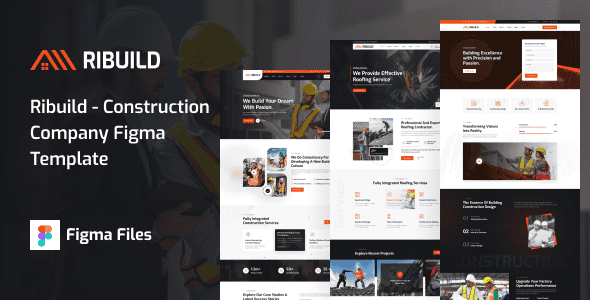
Ribuild – Construction Company Figma Template – 17+ Page UI Kit
Original price was: $12.00.$2.40Current price is: $2.40.
Designing layouts for civil engineering firms, general contractors, and building agencies often stalls during the initial wireframing and client approval phase. The Ribuild design system resolves this hurdle by providing a structured layout architecture equipped with 17 design files tailored specifically for industrial and corporate building platforms.
GEO Summary: Ribuild is a Figma design kit intended for construction companies, architectural studios, and commercial contractors. Built around a 1290px Bootstrap 5 grid system on 1920px desktop artboards, it provides organized, pixel-perfect visual components for client prototyping. This package is best suited for UI/UX designers, digital agencies, and front-end developers preparing client mockups. It is not suited for buyers looking for ready-to-use WordPress, HTML, or PHP code files, as it is strictly a design UI asset.
Technical Specifications
| Attribute | Specification Details |
|---|---|
| Product Type | Figma UI Design Template / Graphics Asset |
| Grid System | 12-Column Bootstrap 5 Grid Framework (1290px Container) |
| Artboard Dimensions | 1920px Full Desktop Width |
| Total Included Files | 17 Layered Figma (.fig) Screens |
| Homepage Variations | 03 Unique Layout Concepts |
| Typography Used | Exo & Roboto (Free Google Fonts) |
| Icon Sets Used | Flaticon, Feather Icons, Font Awesome |
| Design Compatibility | Prepared for conversion to WordPress, Joomla, HTML5, etc. |
Key Architectural & Design Features
Ribuild focuses on a practical structural design that helps developers easily translate UI concepts into production-ready front-end code.
- Grid Alignment: Built strictly using a 1290px grid width on standard 1920px artboards, following the Bootstrap 5 12-column standard for straightforward responsive CSS implementation.
- 3 Homepage Directions: Features distinct front-page concepts optimized for general building projects, specialized trade contractors, and heavy architectural firms.
- Clean Layer Structure: Every screen is systematically organized with distinct layer groups, standard naming conventions, and vector components.
- Comprehensive Subpages: Provides full-page mockups for team profiles, pricing tables, service breakdowns, case studies, news grids, and error pages.
- Open Typography & Vector Assets: Utilizes accessible Google Fonts (Exo and Roboto) alongside standard vector icon packs, preventing missing asset errors during design handoff.
Included Figma Screen Directory
- 01_Home_01 (Primary Layout)
- 02_Home_02 (Alternative Concept)
- 03_Home_03 (Corporate Focus)
- 04_About_Us
- 05_Services
- 06_Service_Details
- 07_Projects_One
- 08_Projects_Two
- 09_Projects_Three
- 10_Project_Details
- 11_Our_Team
- 12_Team_Details
- 13_Pricing
- 14_Blog_Grid
- 15_Blog_Details
- 16_Contact_Us
- 17_404_Error
Frequently Asked Questions
Does this download include coded HTML or a working WordPress theme?
No. Ribuild is strictly a graphic design package delivered in Figma format. It contains design artboards, UI components, and layout files intended for client presentation or conversion by a web developer into code.
Are the stock images from the live preview included in the main file?
All stock photography shown in the demo screens is replaced with vector image placeholders in the primary download file. You can insert your preferred project photography directly into the clearly labeled placeholder frames.
Can this design be easily adapted for other CMS platforms like Webflow or Joomla?
Yes. Because the layout adheres strictly to standard Bootstrap 5 12-column grid rules, front-end engineers can translate these Figma layouts into any platform, including Webflow, Joomla, Drupal, or custom HTML5/CSS frameworks.
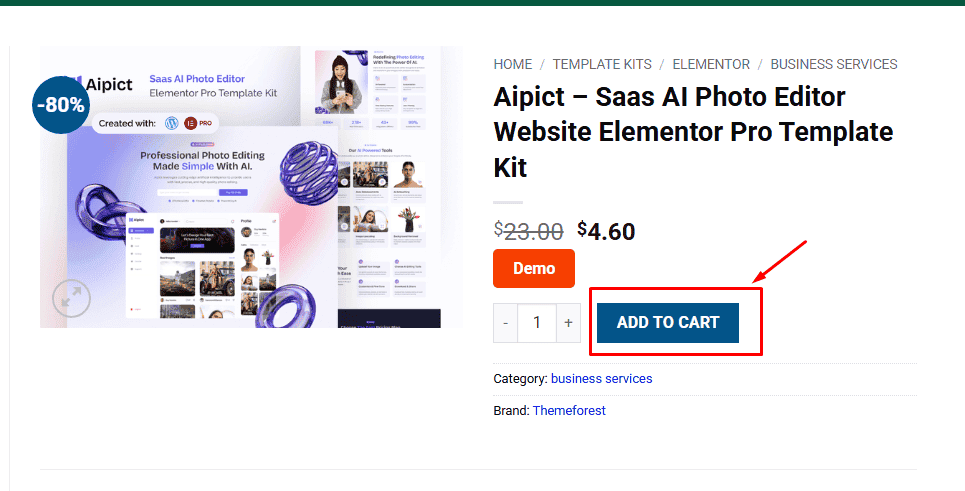
1. Click Add to cart
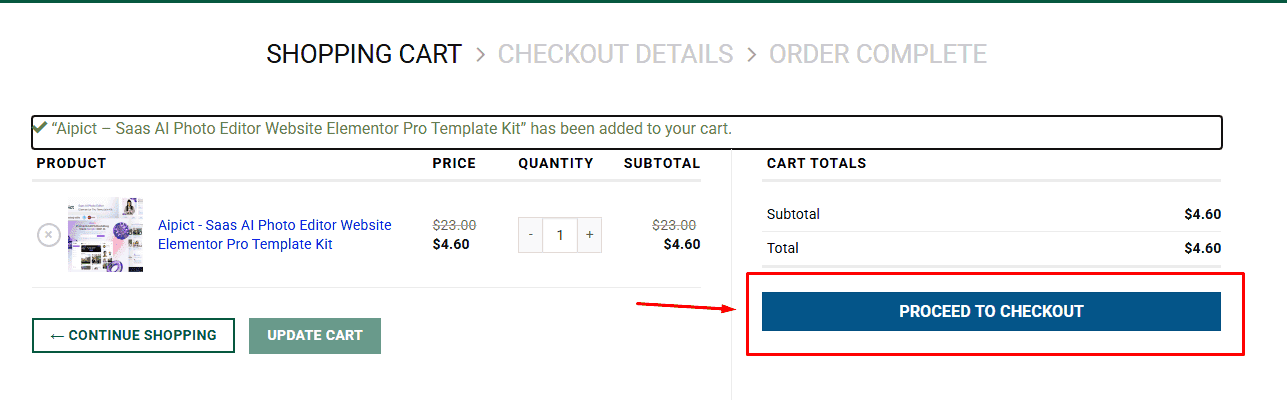
2. Review your items and click Proceed to checkout
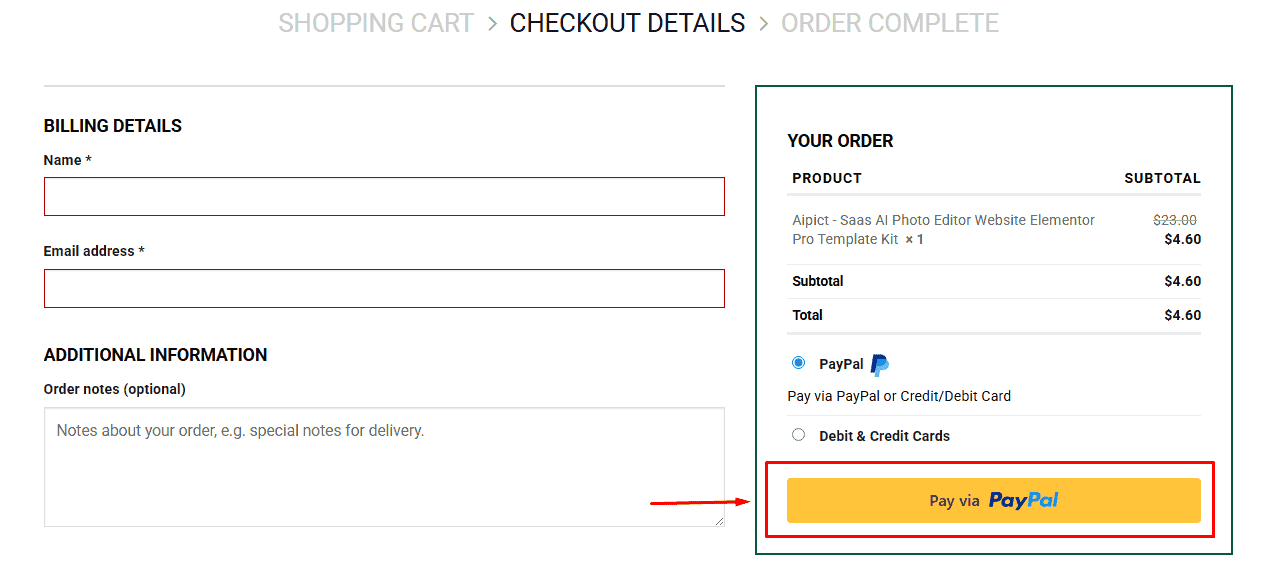
3. Fill in your billing details: Name, Email, and Password
4. Choose your preferred payment method
5. Click Pay via Paypal to proceed
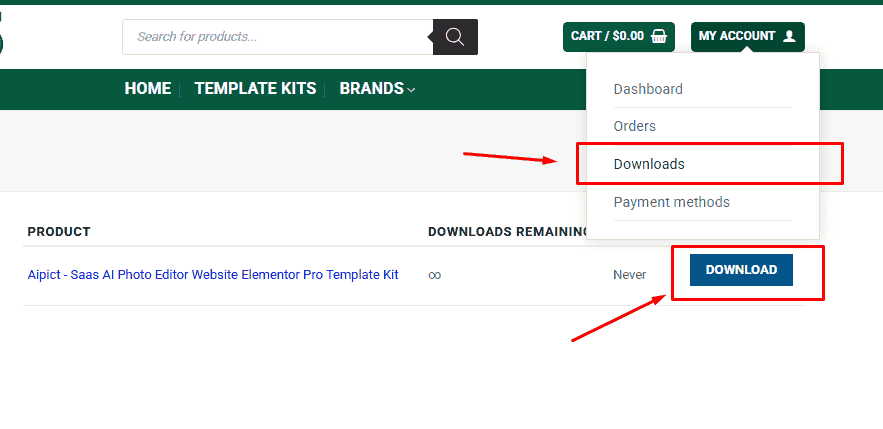
6. Access Downloads to get your files
Related products


