
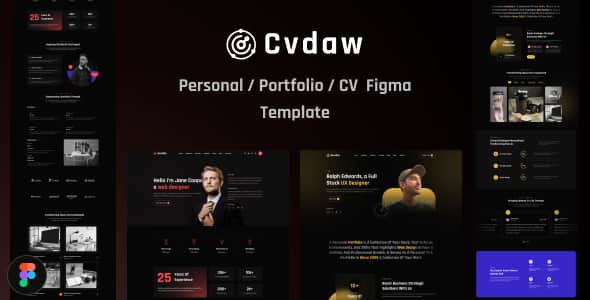
CvDaw | Personal Portfolio Figma Template – Clean UI Kit
Original price was: $8.00.$1.60Current price is: $1.60.
Designing a modern personal portfolio requires a clear visual hierarchy and structured UI components before writing any front-end code. CvDaw provides a structured visual prototype crafted specifically for software developers, freelancers, and creative professionals who need a clean digital presentation.
CvDaw is a vector UI layout kit created in Figma for personal portfolio websites. Built using modular UI principles and clean asset grouping, it helps UI/UX designers and front-end developers blueprint personal websites rapidly. It is best suited for freelancers, engineers, and digital consultants looking for a developer-ready visual wireframe, but it is not a pre-coded HTML theme or CMS template.
Technical Specifications
| File Format | Figma (.fig) |
|---|---|
| Layout Variations | 2 Homepage Designs |
| Typography | Montserrat, Poppins (Google Fonts) |
| Asset Structure | Fully Layered, Grouped & Named |
| Design System | Pixel-Perfect Grid Alignment |
| Icon Integration | Free Font-Based Icon Sets |
| Image Dependencies | Unsplash & Freepik (Placeholders only) |
Core UI/UX Features
- Dual Homepage Layouts: Select between two distinct structural approaches designed for technical and creative portfolios.
- Organized Layer Architecture: Every frame, component, and group follows a systematic naming hierarchy to streamline handoff to front-end developers.
- Fully Customizable Vector Assets: Adjust color swatches, typography styles, and spacing properties quickly using native Figma controls.
- Developer-Ready Wireframing: Layouts align to modern grid frameworks, making it straightforward to translate visual properties into custom CSS.
- Zero-Cost Font Integration: Built entirely with open-source font families (Montserrat and Poppins) accessible via Google Fonts.
Frequently Asked Questions
Is CvDaw a working WordPress theme or HTML template?
No, CvDaw is strictly a Figma visual design file (.fig) intended for UI prototyping and design mapping. It does not include raw HTML, CSS, JavaScript code, or CMS integration. You will need a developer to convert the design into functional web code.
Are the demo images included in the downloadable file?
The photographs displayed in the preview screenshots are sourced from Unsplash and Freepik for presentation purposes. The actual download file contains clean image placeholders, allowing you to insert your own branding and headshots.
Can this Figma template be easily handed off to developers?
Yes, all layers, frames, and groups are clearly labeled and structured logically. Front-end engineers can inspect font styles, measure padding, export SVG icons, and grab visual assets using Figma’s inspect panel.
1. Click Add to cart

2. Review your items and click Proceed to checkout

3. Fill in your billing details: Name, Email, and Password
4. Choose your preferred payment method
5. Click Pay via Paypal to proceed

6. Access Downloads to get your files

