
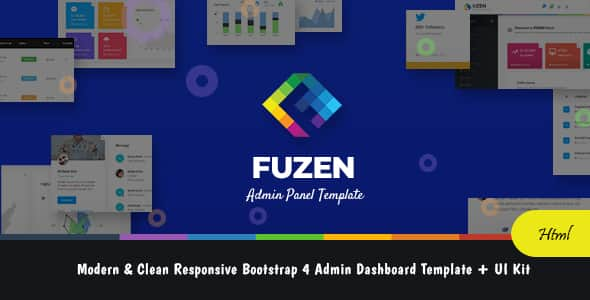
Fuzen – Modern & Clean Responsive Bootstrap 4 Admin Dashboard Template + UI Kit
Original price was: $12.00.$2.40Current price is: $2.40.
Setting up backend interfaces from scratch consumes valuable engineering sprint time. Fuzen provides a modular Bootstrap 4 administrative control panel combined with a developer-centric UI kit, allowing engineering teams to assemble web applications and operational dashboards without reinventing foundational web interface elements.
Fuzen is a responsive admin panel template built on top of Bootstrap 4 and Material Design principles. Designed specifically for web developers, software engineers, and project leads, it provides pre-built UI elements, drag-and-drop layout modules, and structured starter code. It is best suited for building complex web applications, internal CRM/ERP platforms, and eCommerce administrative backends, but it is not intended for non-technical site builders who require zero-code content management tools.
| Technical Specification | Details |
|---|---|
| Core Framework | Bootstrap 4 (Beta) & Material Design |
| Dashboard Layouts | 3 Ready-to-use Configurations |
| UI Components | 200+ Standard & Advanced Elements |
| Icons & Typography | 3 Icon Sets (3000+ Font Icons) |
| Interactive Features | Drag & Drop Support, Data Tables, Form Wizard |
| Navigation Styles | Mini Sidebar, Light/Dark Modes, Background Menu Styling |
| Included Pages | eCommerce Views, Starter Kit, Advanced Form Inputs |
Structured Code Architecture and UI Assets
The code base is organized into a clean folder structure with inline comments across all HTML, CSS, and JS files. Developers can leverage the included starter kit to quickly initialize new sub-pages without clearing out redundant markup. Fuzen incorporates both standard Bootstrap components and advanced customized UI cards, ensuring consistent styling across custom applications.
For data-heavy applications, the template integrates native Data Tables, Google Maps, full interactive calendar modules, and multi-step Form Wizards. Layouts automatically adapt across mobile viewports, tablets, and desktop displays, maintaining cross-browser rendering compatibility.
Core Functional Highlights
- 3 Distinct Dashboard Layouts: Tailor the administrative workflow to fit specific data visualization requirements.
- 200+ Modular UI Components: Mix and match elements backed by a unified color palette and Bootstrap grid structure.
- Drag & Drop Capabilities: Reorder card elements and interactive modules on the fly.
- Flexible Sidebar Options: Switch between light, dark, and mini sidebar presets with optional background image styling.
- eCommerce Page Modules: Ready-to-integrate views tailored for product catalogs, inventory lists, and transactional dashboards.
- Comprehensive Documentation: Detailed setup guides covering file structures and element customization options.
Frequently Asked Questions
Is a starter kit included to help speed up initial development?
Yes, Fuzen includes a developer starter kit along with clean, commented markup. This allows technical teams to bypass boilerplate configuration and start integrating business logic immediately.
Does Fuzen support custom navigation configurations?
It provides multiple navigation styles out of the box, including a compact mini sidebar layout, distinct light and dark sidebar themes, and main menu views with background image capabilities.
Are preview images included in the template files?
Image assets shown in live design demos are excluded from the main download package. The HTML layout scaffolding, placeholder structures, and styling remain fully intact for direct asset integration.
1. Click Add to cart

2. Review your items and click Proceed to checkout

3. Fill in your billing details: Name, Email, and Password
4. Choose your preferred payment method
5. Click Pay via Paypal to proceed

6. Access Downloads to get your files

Related products


