
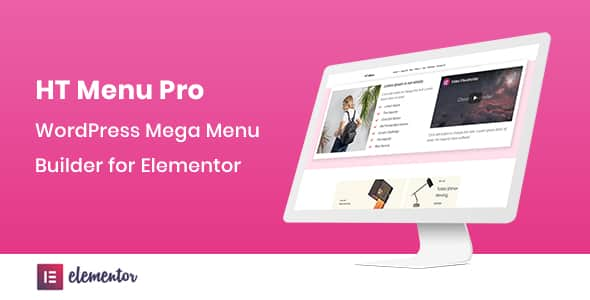
HT Menu Pro – WordPress Mega Menu Builder for Elementor | WP Addon
Original price was: $19.00.$3.80Current price is: $3.80.
Standard navigation menus often restrict complex layout requirements on WordPress sites using Elementor. HT Menu Pro expands standard WordPress navigation capabilities by enabling full Elementor template integration directly into drop-down and mega menu structures.
Product Summary: HT Menu Pro is a dedicated Elementor addon designed for WordPress developers and web designers looking to build customized mega menus using Elementor widgets and layout templates. Built on native WordPress and Elementor APIs, it offers AJAX popup menus, custom menu badges, icon controls, and explicit sub-menu width management. It is best for content-dense websites, e-commerce stores, and agency clients needing rich navigation layouts, but not intended for non-Elementor block themes or classic native-only menu setups.
| Specification | Details |
|---|---|
| Product Type | WordPress Mega Menu Plugin / Elementor Addon |
| Current Version | 1.0.9 |
| Page Builder Dependency | Elementor Core / Elementor Pro |
| Core Features | Elementor Template Embedding, Sub-Menu Width Control, AJAX Popup Menus |
| Customization Options | Icon Picker, Icon Color, Menu Badges, Badge Colors & Backgrounds |
| Compatibility | Tested with latest WordPress & Elementor builds |
Key Features & Technical Capabilities
Elementor Template Integration
HT Menu Pro allows users to assign pre-built Elementor templates to any top-level menu item. This functionality enables multi-column layouts, widget integration (such as maps, contact forms, or product lists), and complex structural designs within the drop-down navigation area.
Granular Positioning and Width Controls
Navigation layouts often suffer from rigid container boundaries. The plugin provides independent width settings for individual sub-menus alongside manual alignment and sub-menu position options. Developers can assign specific pixel or percentage widths per drop-down container to ensure design consistency across diverse site structures.
Visual Identifiers and Badge Styling
- Menu Icon Picker: Select and attach custom icons to individual menu items.
- Icon Color Customization: Define dedicated colors for navigation icons independent of global link colors.
- Menu Badges: Display custom labels (such as “Hot”, “New”, or “Sale”) on specific navigation nodes.
- Badge Styling: Configure unique typography colors and background panel colors for every badge.
AJAX-Powered Popup Engine
To keep initial page load lightweight, HT Menu Pro supports converting mega menu options into popup menus utilizing AJAX rendering. Content within complex drop-downs is fetched dynamically upon user interaction, helping maintain clean DOM size and optimized initial page loads.
Version Release Log
- Version 1.0.9 (17-04-2025): Updated language translation files; resolved PHP warning issues; addressed minor UI tweaks; verified full compatibility with current WordPress and Elementor updates.
- Version 1.0.7 (02-06-2022): Added dynamic AJAX-driven popup menu loading; fixed deprecated Elementor engine functions; updated compatibility for modern WordPress environments.
- Version 1.0.3 (27-04-2021): Confirmed core engine stability and compatibility with Elementor updates.
Frequently Asked Questions
Can I build multi-column drop-down menus using standard Elementor widgets?
Yes. Because the plugin embeds standard saved Elementor templates directly into menu nodes, you can organize content into multiple columns using any native or third-party Elementor widget inside the template builder.
Does HT Menu Pro function without the Elementor plugin installed?
No, HT Menu Pro is built specifically as an extension for Elementor. An active installation of the Elementor page builder is required to build templates and render the mega menu components.
How does AJAX popup rendering benefit page performance?
By default, heavy mega menu structures output substantial HTML directly into the initial page response. The AJAX popup menu feature delays loading complex menu layout assets until the user interacts with the navigation, reducing initial page payload size.
1. Click Add to cart

2. Review your items and click Proceed to checkout

3. Fill in your billing details: Name, Email, and Password
4. Choose your preferred payment method
5. Click Pay via Paypal to proceed

6. Access Downloads to get your files

Related products


