
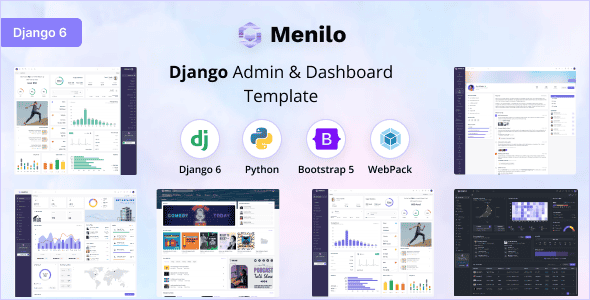
Menilo – Django 6 Admin Dashboard Template | Responsive UI
Original price was: $13.00.$2.60Current price is: $2.60.
Building custom web application backends often bogs development teams down in writing client-side CSS and handling manual layout state persistence. Menilo is a production-ready web development admin template designed for Python developers looking to launch functional control panels quickly. Powered by Django 6, Python v3.13.*, and Bootstrap v5.3.6, this panel features multiple navigation layouts, dark/light theme options, and WebPack asset management out of the box. It is ideal for backend engineers, SaaS founders, and enterprise ops teams building web applications, while it is not suited for non-technical users seeking no-code drag-and-drop builders.
Technical Specifications
| Framework & Version | Django 6, Python v3.13.* |
|---|---|
| Frontend Foundation | Bootstrap v5.3.6 |
| Asset Pipeline | WebPack, Yarn, SCSS / SASS |
| Layout Structures | Vertical (Default), Horizontal, Semibox |
| Sidebar Variants | Default (Large), Icon, Medium, Icon-hover |
| Content Width Options | Fluid (Full Viewport), Boxed |
| Interface Modes | Light & Dark Themes, LTR & RTL Support |
| Browser Compatibility | Chrome, Firefox, Safari, Microsoft Edge |
Key Architecture & Capabilities
Menilo simplifies client-side dynamic changes by utilizing JavaScript alongside browser storage. User settings such as chosen theme colors, sidebar dimensions, and layout styles are saved inside localStorage, allowing the interface state to remain persistent across screen refreshes without adding database overhead.
Flexible Layout Configurations
- Vertical (Default): Standard sidebar navigation suitable for administrative systems with complex sub-menus.
- Horizontal: Top-bar navigation tailored for dashboards prioritizing horizontal workspace.
- Semibox: Hybrid layout design combining boxed interface containers with full-width top controls.
Sidebar & Content Controls
- Sidebar Variations: Instantly switch between Large, Icon-only, Medium, and Icon-hover modes depending on data density requirements.
- Content Width: Toggle between standard Boxed width for readable documentation views and full Fluid width for data tables.
Developer Tools
Designed around standard software engineering workflows, Menilo includes modern dependency management via Yarn, organized SASS styles for rapid UI customization, and WebPack asset bundling for optimized production delivery.
Frequently Asked Questions
Does Menilo preserve user interface choices automatically?
Yes. Menilo utilizes native browser localStorage to save layout variants, sidebar states, and dark/light modes. User selections persist automatically across page navigation and new sessions.
What core developer skills are required to implement Menilo?
Basic knowledge of Python, Django core concepts (views, routing, templates), and standard HTML/SCSS asset compilation is recommended to integrate Menilo into an active project.
Is Right-to-Left (RTL) text direction supported out of the box?
Yes. Menilo provides built-in LTR and RTL support, enabling clean interface adjustments for multi-language or regional web applications.
1. Click Add to cart

2. Review your items and click Proceed to checkout

3. Fill in your billing details: Name, Email, and Password
4. Choose your preferred payment method
5. Click Pay via Paypal to proceed

6. Access Downloads to get your files

Related products


