
Social Login – WordPress / WooCommerce Plugin | One-Click Login
Original price was: $39.00.$7.80Current price is: $7.80.
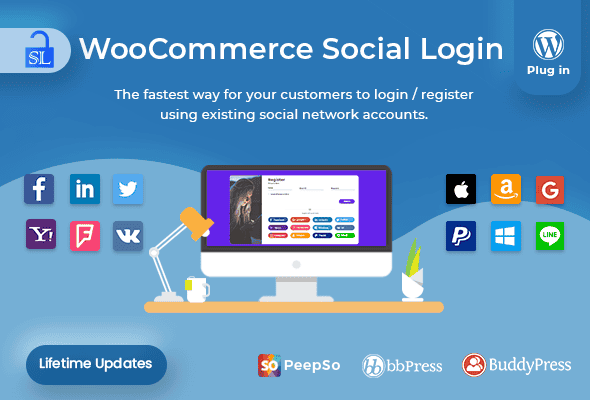
Reducing registration friction directly impacts conversion rates on e-commerce storefronts. The WooCommerce Social Login extension simplifies user authentication by integrating major social network OAuth providers directly into the checkout flow and account creation pages. Built as a standalone-capable WordPress plugin, it targets WooCommerce store owners and developers looking to streamline user onboarding while preventing abandoned carts caused by password creation fatigue. It is best suited for online stores with repeat purchasers, membership communities, and forums, but unnecessary for sites requiring strict enterprise SAML/SSO configurations.
| Specification | Details |
|---|---|
| Software Type | WordPress / WooCommerce Plugin (Standalone Capable) |
| Supported OAuth Providers | Facebook, Twitter, Google, Yahoo, LinkedIn, Foursquare, Windows Live, VKontakte, PayPal, Amazon, LINE, GitHub, WordPress.com |
| Plugin Compatibility | WooCommerce Product Reviews Pro, PeepSo, bbPress, BuddyPress, WP Rocket, Better WordPress Minify |
| Theme Compatibility | WorkScout – Job Board WordPress Theme (and standard WooCommerce templates) |
| Shortcode Support | [woo_social_login] |
| Latest Release Version | 2.8.7 |
Streamlined Authentication and Account Linking
Mandatory account registration during checkout adds unnecessary steps to the purchasing process, leading to cart abandonment. This extension allows customers to sign in using existing credentials from major identity providers. New accounts created through social authentication link automatically to the corresponding network, while returning customers can connect social accounts via the account settings page or on the order confirmation screen.
The plugin hooks directly into standard WordPress user management architecture. When a user authenticates via a social platform, the system assigns a standard customer profile using their social email address or handle. If the plugin is later deactivated, users retain access to their order history and profiles by using the default password reset workflow.
Administrator Control and Data Privacy
Store managers can customize identity provider buttons using a visual drag-and-drop interface within the administration dashboard. Built-in analytics provide aggregate data and pie graphs tracking registration percentages across different social platforms.
From a privacy standpoint, authentication exchanges minimal credential data strictly necessary to complete identity validation. No store data, order details, or browsing history is sent back to connected social networks during or after the authorization sequence.
Recent Version History
- Version 2.8.7: Fixed link account information display on the WooCommerce account page.
- Version 2.8.6: Resolved operational compatibility issues with the Yith POS plugin.
- Version 2.8.5: Updated Facebook authentication library certificates.
- Version 2.8.4: Resolved operational bug affecting Google sign-in workflow.
- Version 2.8.3: Patch for security vulnerability and updated execution codebase for faster processing.
Frequently Asked Questions
Does this plugin require WooCommerce to function?
No, the plugin operates standalone and can be used independently on any standard WordPress installation, including BuddyPress, bbPress, or PeepSo community platforms.
Why does Twitter prompt users to enter an email address during first login?
Twitter’s API does not return user email addresses upon identity authorization. The plugin prompts for an email address on initial sign-in to assign a valid account record within WordPress.
What happens to existing customer order history if the plugin is deleted?
Customer accounts and order history remain stored securely within the WordPress database. Users can access their account history by initiating a standard password reset to set up traditional login credentials.
1. Click Add to cart

2. Review your items and click Proceed to checkout

3. Fill in your billing details: Name, Email, and Password
4. Choose your preferred payment method
5. Click Pay via Paypal to proceed

6. Access Downloads to get your files

Related products


