
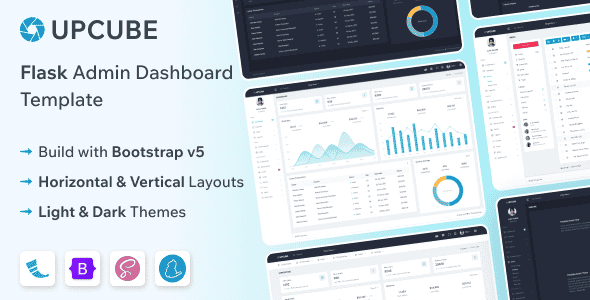
Upcube – Flask Admin & Dashboard Template | Bootstrap 5 UI
Original price was: $14.00.$2.80Current price is: $2.80.
Developing modern backend control panels often stalls when setting up clean UI components and layout structures from scratch. Upcube provides a pre-built Flask 3 and Bootstrap 5.3 admin template designed to accelerate web application interface development. It offers production-ready dashboard layouts, widgets, and data display tools for Python developers building enterprise management tools, SaaS applications, or internal administrative panels. This product is ideal for backend developers who need a quick, standardized web UI, but it is not suited for non-technical users looking for a drag-and-drop website builder.
| Technical Specification | Details |
|---|---|
| Backend Framework | Flask 3 |
| Frontend Framework | Bootstrap 5.3 |
| Layout Variants | Horizontal & Vertical |
| Visual Style | Clean, Flat Interface |
| Chart Libraries | 5+ Integrated Libraries |
| Specialized Components | Dropzone File Upload, Google Maps, Datatables |
| Included Pages | Login, Register, Error Pages, Calendar, Invoice, Directory List |
| Asset Terms | Demo images are for preview only and excluded from download files |
Core Architecture and Features
Upcube bridges the gap between Flask backend routes and frontend presentation. Built on Flask 3 and Bootstrap 5.3, the template maintains a clean codebase that simplifies asset management and template inheritance.
- Flexible Layout Modes: Toggle between horizontal and vertical navigation setups depending on screen density and user interface requirements.
- Built-in Application Pages: Comes pre-configured with essential user flow templates, including Login, Register, System Error pages, and a Directory List view.
- Data Handling Tools: Features Datatables integration for sorting and filtering large sets of record data directly within the dashboard.
- Interactive Form Elements: Includes client-side form validation mechanisms alongside Dropzone file uploading functionality.
- Data Visualization: Integrates 5+ chart libraries to present analytics, operational statistics, and system metrics visually.
- Utility Elements: Offers a print-ready invoice layout, interactive calendar view, and embedded Google Maps integration.
Frequently Asked Questions
Is Upcube compatible with Python’s latest web environment?
Yes, Upcube is structured around Flask 3, making it fully compatible with modern Python 3 development workflows and web application setups.
Can I customize the primary dashboard layout?
Upcube provides both horizontal and vertical structural options out of the box. Since it relies on standard Bootstrap 5.3 utility classes, modifying colors, spacing, and structural grids requires basic knowledge of HTML and CSS.
Are the preview images included in the production download?
No, all stock photography and demonstration images shown in the live preview are for presentation purposes only and are omitted from the downloadable source files.
1. Click Add to cart

2. Review your items and click Proceed to checkout

3. Fill in your billing details: Name, Email, and Password
4. Choose your preferred payment method
5. Click Pay via Paypal to proceed

6. Access Downloads to get your files

Related products


