
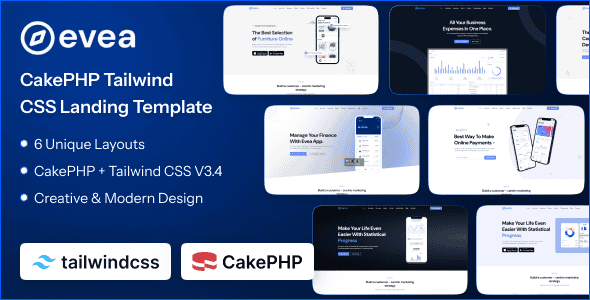
Evea – CakePHP App Landing Page Template – Responsive Tailwind CSS
Original price was: $12.00.$2.40Current price is: $2.40.
Deploying a lightweight app showcase front-end within a structured PHP framework requires clean markup and minimal visual overhead. Evea combines modern utility-first styling with backend framework templates to streamline digital product presentations.
Evea is a production-ready application showcase template built on CakePHP and Tailwind CSS v3.4.13. Designed for developers and technical teams launching mobile applications, SaaS products, or digital services, it provides modular layout components out of the box. It is best suited for developers seeking a structured CakePHP codebase with clean utility CSS, and less suitable for non-technical users requiring drag-and-drop content managers.
Technical Specifications
| Core Attribute | Specification Details |
|---|---|
| Backend Framework | CakePHP |
| CSS Framework | Tailwind CSS v3.4.13 |
| Page Templates | 6+ Landing Page Layouts |
| Code Standards | W3C Valid HTML5 & CSS3 |
| Style Processor | SCSS Included |
| Typography | Google Fonts Integration |
| Browser Support | Chrome, Firefox, Safari, Microsoft Edge, WebKit |
Key Architectural Advantages
- CakePHP Framework Integration: Built directly within the CakePHP structure for seamless integration into existing MVC application pipelines.
- Tailwind CSS v3.4.13 Base: Utility-first styling enables rapid UI modifications without writing bloated custom CSS files.
- Multiple Landing Variants: Features 6+ distinct layout options designed for software demos, mobile app highlights, and digital product features.
- Full SCSS Support: Structured style sheets allow developers to adjust brand colors, spacing, and typography globally.
- Clean & Commented Codebase: Well-documented source files ensure easy maintenance and fast customization for development teams.
- Responsive Viewport Adaptation: Grid layouts adjust across desktop, tablet, and mobile displays.
Frequently Asked Questions
Is Evea suitable for non-developers?
Evea is built on top of the CakePHP framework and Tailwind CSS v3.4.13, which requires familiarity with PHP frameworks and standard front-end development workflows. It does not include a visual drag-and-drop page builder.
How do I customize the theme colors and styling?
You can adjust visual styles either by modifying the Tailwind configuration file or editing the included SCSS files. This allows for centralized control over color schemes, typography, and element spacing.
Are the included templates fully responsive?
Yes, all 6+ landing page variants are built using responsive flexbox and grid components designed to scale across mobile devices, tablets, and desktop displays.
1. Click Add to cart

2. Review your items and click Proceed to checkout

3. Fill in your billing details: Name, Email, and Password
4. Choose your preferred payment method
5. Click Pay via Paypal to proceed

6. Access Downloads to get your files

Related products


