
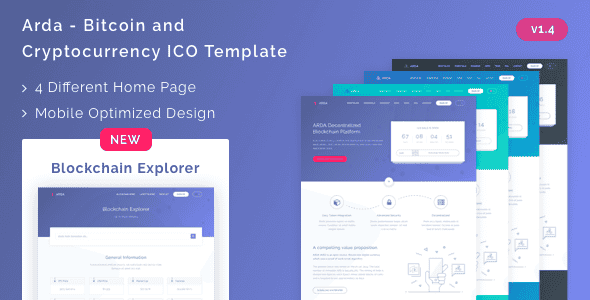
Arda – Bitcoin and Cryptocurrency ICO HTML Template | Bootstrap 5
Original price was: $17.00.$3.40Current price is: $3.40.
Launching an ICO or token pre-sale landing page requires a fast, structured front-end without code bloat. Arda provides modern layout components and interactive scripts tailored specifically for blockchain projects and crypto marketing campaigns.
Arda is a responsive HTML5 template engineered for Bitcoin, cryptocurrency, and ICO token sale websites. Built using Bootstrap 5, SCSS, and Gulp workflows, it gives front-end developers customizable pre-built layouts and background animation effects. It is best for blockchain developers, crypto agencies, and web designers needing a lightweight static framework. It is not suited for non-technical users seeking a plug-and-play WordPress theme or no-code builder solution.
Technical Specifications
| Specification | Details |
|---|---|
| CSS Framework | Bootstrap 5 |
| Task Runner & Preprocessor | Gulp JS & SCSS / SASS |
| Layout Variations | 4 Pre-designed Layouts |
| Color Schemes | 4 Pre-configured Color Options |
| Markup Standard | W3C Validated HTML5 |
| Included Scripts & Libraries | jQuery 3.6.0, OwlCarousel, parallax.js, particle.js, Scroll Reveal, FontAwesome |
| Typography & Icons | Google Fonts, FontAwesome Icons |
Core Development Features
- Bootstrap 5 Grid Engine: Built on a responsive grid system ensuring layout consistency across mobile devices, tablets, and desktop displays.
- Automated Gulp Workflow: Includes pre-configured Gulp tasks for compiling SCSS and automating repetitive front-end development tasks.
- Interactive Canvas & Motion Effects: Integrated particle.js background visuals, parallax scrolling mechanics, and clean CSS animations to highlight tokenomics and roadmaps.
- Structured SASS Files: Cleanly organized SASS directory allows global variable modifications for rapid color palette adjustments.
- Semantic HTML5 Codebase: Well-commented, search-engine-optimized markup ensuring full compliance with modern web standards.
Frequently Asked Questions
Is Arda compatible with WordPress or other CMS platforms?
No, Arda is a static HTML5 and SCSS template bundle. To use it on a CMS like WordPress, the code must be manually integrated and converted into a custom theme structure by a developer.
How do I customize the default template colors?
You can change colors by modifying the variable files in the provided SCSS directory and compiling them via Gulp, or by utilizing one of the 4 pre-made color stylesheet options.
Are background images and illustrations included in the download package?
No, demo images sourced from Unsplash and illustrations from Codrops are used exclusively for preview demonstration and are omitted from the main template package.
1. Click Add to cart

2. Review your items and click Proceed to checkout

3. Fill in your billing details: Name, Email, and Password
4. Choose your preferred payment method
5. Click Pay via Paypal to proceed

6. Access Downloads to get your files

Related products


