
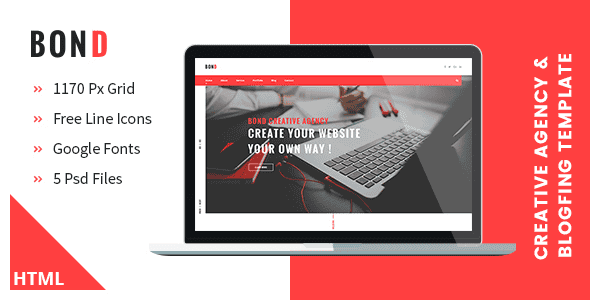
Bond – Creative Agency & Blogging HTML Template – Clean Layout
Original price was: $29.00.$5.80Current price is: $5.80.
Front-end developers building sites for design studios or editorial blogs often need a lightweight, standards-compliant front-end foundation. Bond delivers a structured HTML5 template built on the Bootstrap grid system, tailored for agency portfolios and publishing platforms.
Bond is a responsive HTML5 and CSS3 template engineered for creative agencies, digital studios, and modern blogging projects. Built on the Bootstrap grid, it provides clean markup alongside essential interactive features like Ajax contact forms, parallax scrolling, and flexible layout options. This template is best suited for web developers and agencies seeking modular code to build static sites or convert into CMS themes. It is not intended for non-technical users who require a no-code WordPress plugin or visual page builder.
Technical Specifications
| Core Architecture | HTML5, CSS3, Bootstrap Grid System |
|---|---|
| Layout Modes | Boxed & Wide Layouts, Retina Ready |
| Interactive Components | Ajax Contact Form, Parallax Scrolling Effects |
| Design Assets | Free Vector Icons, Unlimited Color Options |
| Code Structure | Commented, Pixel-Perfect HTML/CSS/JS |
Key Capabilities & Architectural Features
- Bootstrap Grid Alignment: Guarantees reliable responsive scaling across desktop, tablet, and smartphone screens with precise element positioning.
- Dual Layout Structures: Toggle between boxed and full-width wrappers to match client branding and content display requirements.
- Asynchronous Contact Form: Integrated Ajax form script processes visitor inquiries without requiring a full browser page refresh.
- Parallax & Visual Depth: Smooth background parallax scripts enhance user engagement on key promotional sections.
- Clean CSS Architecture: Well-organized style sheets make modifying site colors, typography, and spacing straightforward for developers.
Frequently Asked Questions
Does this package include a WordPress theme or page builder?
No, Bond is a static HTML template composed of client-side HTML5, CSS3, and JavaScript files. It must be manually converted or integrated if you plan to use it with a Content Management System like WordPress.
How do I customize the default color palette?
Color definitions and key styling rules are centralized within the stylesheet files. Developers can adjust the primary color variables or override specific classes to match target brand guidelines.
Is the Ajax contact form ready to send emails immediately?
The front-end JavaScript for the Ajax submission is completely set up. To send emails, you only need to update the server-side backend script with your specific receiving email address and SMTP settings.
1. Click Add to cart

2. Review your items and click Proceed to checkout

3. Fill in your billing details: Name, Email, and Password
4. Choose your preferred payment method
5. Click Pay via Paypal to proceed

6. Access Downloads to get your files

Related products


