
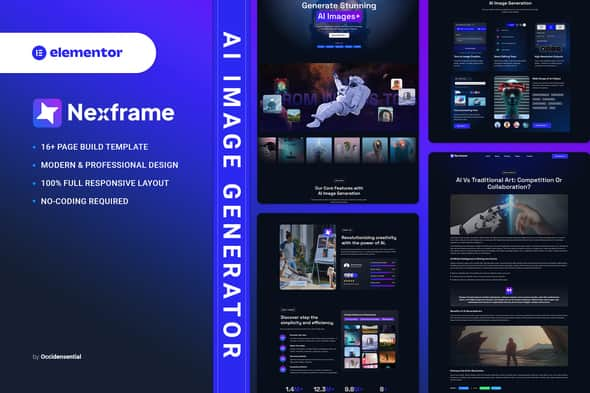
Nexframe – AI Image Generator Elementor Template Kit | No Code Needed
Original price was: $23.00.$4.60Current price is: $4.60.
Deploying a clean web interface for modern SaaS platforms and AI tools often gets delayed by repetitive layout construction. Nexframe provides a pre-designed set of 16+ Elementor page templates and structural blocks engineered specifically for AI image generator services, digital product landing pages, and creative tech startups. Built on top of the lightweight Hello Elementor base theme, this kit enables agency developers and web designers to configure visually engaging, fully responsive front-end layouts directly inside the visual page builder without writing code. It is ideal for teams seeking rapid website creation, though it is not a standalone theme and requires Elementor and its complementary free plugins to function.
| Technical Specification | Details |
|---|---|
| Product Type | Elementor Template Kit |
| Target Niche | AI Image Generator / Tech SaaS / Creative Platforms |
| Base Theme Compatibility | Hello Elementor (Free) |
| Total Included Layouts | 16+ Page Templates & Structural Blocks |
| Required Plugins | Elementor, RTMKit, RTMForm Builder, Premium Addons for Elementor, Jeg Elementor Kit |
| Browser Compatibility | Chrome, Firefox, Safari, Opera |
| Layout Responsiveness | 100% Mobile-Friendly & Desktop Optimized |
Key Features & Architecture
- Global Style Management: Adjust site-wide typography, color schemes, and visual rules from a single centralized panel using Elementor Global Kit Styles.
- Zero Coding Required: Drag, drop, and modify components visual-first without modifying PHP, CSS, or custom scripts.
- Fully Responsive Layouts: Pre-configured viewports ensure proper alignment across desktop screens, tablets, and smartphone displays.
- Modular Block Elements: Built-in structural templates for global headers, footers, and interactive form structures.
- Free Plugin Ecosystem: Built entirely using standard, freely available WordPress plugins without forcing an Elementor Pro subscription.
Included Layouts & Templates
- Homepage Layout
- About Us Page
- Features Overview
- Services Page
- Our Team Layout
- Pricing Tier Page
- Our Gallery
- Testimonials Section
- Our Blog Archive
- Single Blog Post Layout
- 404 Error Page
- Contact Us Page
- Subscribe Form Block
- Contact Form Block
- Header Block
- Footer Block
Setup & Import Instructions
Configuring Global Header & Footer
Import the template kit using the standard Template Kit Import tool. Navigate to RomethemeKit > Theme Builder and select Add New. Assign your title, set the structural type (Header or Footer), and set activation to On. Under conditions, choose Entire Site and save. Edit the item with Elementor, open the saved templates tab inside the canvas, insert the corresponding header or footer block, and save your edits.
Configuring Form Blocks
To set up working contact forms, navigate to RomethemeForm > Forms and select Add New. Enter a form title, click Save and Edit, open the template library icon inside the canvas, and insert your chosen form block. After saving, edit any target page layout (such as the Contact Page) within Elementor, select the RomethemeForm widget, and choose your created form from the options menu.
Frequently Asked Questions
Is Nexframe a standard WordPress theme?
No, Nexframe is an Elementor Template Kit rather than a traditional WordPress theme. It contains layout design data intended for use within Elementor and functions best when imported on top of a lightweight base theme like Hello Elementor.
Do I need an Elementor Pro license to use this kit?
No, Elementor Pro is not required. All templates and blocks are constructed using free plugins, including standard Elementor, RTMKit, RTMForm Builder, Premium Addons, and Jeg Elementor Kit.
How do I change default colors and typography across all pages?
You can update visual styling site-wide by modifying the Global Kit Style options in Elementor. Adjusting the global typography and color swatches automatically updates every imported page and block in the kit.
1. Click Add to cart

2. Review your items and click Proceed to checkout

3. Fill in your billing details: Name, Email, and Password
4. Choose your preferred payment method
5. Click Pay via Paypal to proceed

6. Access Downloads to get your files

Related products


