
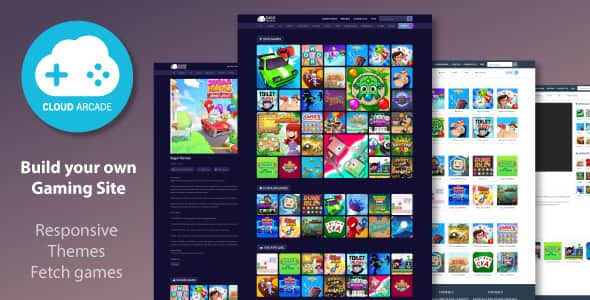
CloudArcade – HTML5 / Web Game Portal CMS | Lightweight PHP
Original price was: $49.00.$9.80Current price is: $9.80.
Running an HTML5 game site often means wrestling with oversized generic CMS frameworks that drag down server response times. CloudArcade bypasses framework bloat by providing a dedicated, native PHP management system engineered specifically for browser-based gaming platforms.
CloudArcade is a lightweight PHP CMS designed to deploy and manage HTML5 game portals without coding. Built on native PHP 7+/8+ and MySQL, it features four game import workflows, built-in player leaderboards, and ad management. It is best for webmasters, indie arcade operators, and WordPress site owners seeking a standalone gaming portal; it is not intended for multiplayer server hosting or high-end 3D engine rendering.
Technical Specifications
| Parameter | Specification |
|---|---|
| Software Type | Standalone PHP Game Portal CMS |
| PHP Compatibility | PHP 7.x / PHP 8.x |
| Database Requirement | MySQL 5.x or higher |
| Web Server Support | Apache (Recommended for pretty URLs) / Nginx |
| Included Layouts | 2 Responsive Themes |
| Bonus Content | 5 Pre-installed HTML5 Games |
| WordPress Interoperability | CloudArcade Connect Plugin (Included) |
| Security Infrastructure | Password Hashing, Login Attempt Limiter, hCaptcha Support |
Core Architecture and Key Features
Flexible Game Publishing Workflows
CloudArcade offers four methods to populate your game library depending on your content sourcing strategy:
- Direct File Upload: Upload packaged HTML5 or legacy Flash games directly through the admin control panel.
- Distributor Fetching: Import free games from distribution partners with integrated revenue-sharing options (33-40%).
- Remote URL Embedding: Add games hosted on third-party servers via direct URL links.
- JSON Bulk Importer: Import full game catalogs at once using JSON files.
Player Engagement and Community Tools
Keep visitors returning with an active community system. CloudArcade includes player registration, point accumulation, leveling mechanics, public leaderboards, and score submission APIs. Built-in SEO features, such as static-style pretty URLs, automatic thumbnail compression, dynamic search, and interactive comment threads, help search engines index your game pages efficiently.
Monetization and Ad Management
The platform features built-in banner ad management tools. Code output is structured cleanly to support Google AdSense integration and custom third-party ad networks, letting you manage placement locations directly from the administration dashboard.
WordPress Integration & Extensibility
If you already operate a WordPress website, the included CloudArcade Connect plugin lets you run a dedicated game portal on a subdomain or secondary domain while linking user experience, keeping your primary site database clean.
Developers can extend platform functionality using custom hooks without altering core engine files. You also get complete access to theme template files for custom UI/UX design.
Bundled Extensions
- Crew & Staff Management: Assign operational roles with granular permission control.
- Flash Emulator: Render legacy Flash content inside modern WebAssembly-capable browsers.
- Video Hover Play: Show animated video previews when hovering over game thumbnails.
- Localization: Translate site text for multi-region audiences.
- Query Cache: Minimize database queries for heavy traffic conditions.
- Auto Publish: Schedule automatic game releases at specified hourly intervals.
Frequently Asked Questions
Can CloudArcade run alongside an existing WordPress site?
Yes. CloudArcade includes the CloudArcade Connect plugin. This allows you to host your game portal on a separate sub-domain or main domain while maintaining independent administration and database setups.
What hosting setup is required for CloudArcade?
CloudArcade requires standard shared web hosting or a VPS running PHP 7+ or PHP 8+ alongside MySQL 5.x+. If an environment supports WordPress, it will run CloudArcade smoothly.
Does CloudArcade require programming knowledge to set up?
No. Installation is managed via a point-and-click setup wizard. Game ingestion, user control, system backups, and theme selection are managed entirely through the web-based administrative dashboard.
1. Click Add to cart

2. Review your items and click Proceed to checkout

3. Fill in your billing details: Name, Email, and Password
4. Choose your preferred payment method
5. Click Pay via Paypal to proceed

6. Access Downloads to get your files

Related products


