
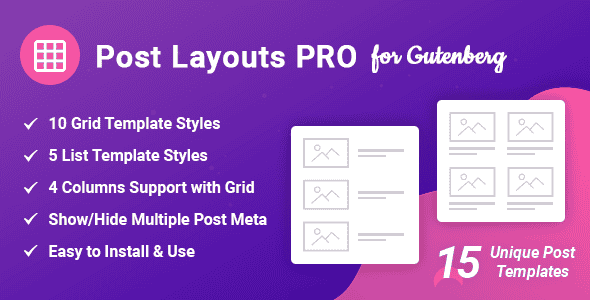
Post Layouts Pro for Gutenberg – Responsive Post Grid Addon
Original price was: $14.00.$2.80Current price is: $2.80.
Displaying blog entries in standard WordPress theme layouts often forces creators to rely on bulky page builders or write custom CSS queries. Post Layouts Pro for Gutenberg integrates directly into the native block editor, allowing developers and content teams to render dynamic post lists and grids without leaving the block editing context.
Post Layouts Pro for Gutenberg is a WordPress block editor add-on designed to format blog posts using custom pre-designed layouts. Built specifically for bloggers, digital publishers, and web freelancers, this plugin provides real-time backend previewing and customizable display options. It solves the issue of rigid core block options by introducing responsive grid and list structures. It is best suited for WordPress users utilizing the core block editor who need rapid blog section design, and it is not suited for legacy Classic Editor setups or builder-exclusive workflows.
| Technical Specification | Details |
|---|---|
| Software Type | WordPress Block Editor Add-on |
| Required WordPress Core | v5.3.x or higher (Block Editor enabled) |
| Latest Tested Compatibility | v1.0.6 (WordPress 6.9.1 compatible) |
| Included Templates | 10 Grid Layouts, 5 List Layouts |
| Column Support | Up to 4 Columns (Grid Layout) |
| Customization Interface | WYSIWYG Block Controls (No coding required) |
Key Display Options and Architectural Features
- Flexible Template Varieties: Includes 10 grid templates and 5 list templates to present blog posts across distinct site sections.
- Multi-Column Control: Configurable grid displays supporting up to 4 responsive columns depending on desktop and mobile viewports.
- Post Meta Management: Granular visibility controls to display or hide post metadata, such as author names, publish dates, and categories.
- Custom Ordering Rules: Sort post queries by publication date (Newest to Oldest, Oldest to Newest) or alphabetical sequence (A to Z, Z to A).
- Featured Image Styling: Toggle between landscape and square aspect ratios to maintain consistent aspect ratios across featured images.
- Interactive Elements: Custom “Read More” call-to-action text configurations and built-in social media share button styles.
WYSIWYG Block Editing Workflow
The plugin utilizes standard WordPress core block architecture, providing a true What-You-See-Is-What-You-Get editing workflow. Content managers can adjust layout styles, meta visibility, and column arrangements directly within the back-end editor, verifying the exact front-end output before publishing the page.
Frequently Asked Questions
Does Post Layouts Pro work with the Classic Editor?
No, this plugin requires WordPress 5.3 or higher with the standard block editor (Gutenberg) enabled. It is designed specifically as an extension for block-based workflows and will not function within the legacy Classic Editor interface.
Can I customize the column layout for mobile viewports?
Yes, the plugin features a responsive architecture. Grid layouts automatically adapt to smaller screen resolutions, ensuring post grids and lists re-align cleanly across mobile and tablet devices.
Are programming skills necessary to configure post layouts?
No coding skills are required. All layout choices, query parameters, image aspect ratios, and social share buttons are managed visually through the standard block sidebar panel.
1. Click Add to cart

2. Review your items and click Proceed to checkout

3. Fill in your billing details: Name, Email, and Password
4. Choose your preferred payment method
5. Click Pay via Paypal to proceed

6. Access Downloads to get your files

Related products


