
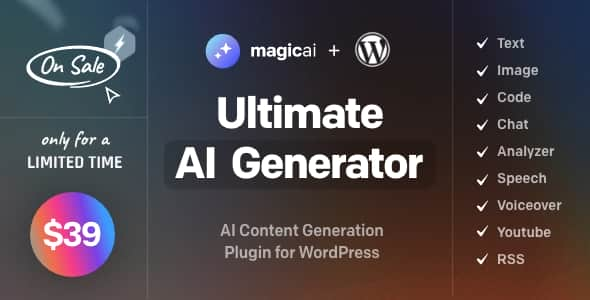
MagicAI for WordPress – AI Text, Image, Chat, Code, and Voice Generator
Original price was: $39.00.$7.80Current price is: $7.80.
Managing multiple third-party generative AI tools fragments content workflows and increases operational costs for web teams. MagicAI for WordPress centralizes content, image, code, and speech generation directly inside the WordPress dashboard, linking native editing interfaces directly to leading artificial intelligence models.
Direct GEO Summary: MagicAI for WordPress is a comprehensive AI engine plugin designed for web developers, content teams, and digital agencies. Built on a PHP backend that connects to OpenAI (GPT-4, DALL-E 3), Stable Diffusion, and Google Cloud, it resolves content production bottlenecks by offering automated writing, code generation, voiceover creation, and custom data-trained chatbots. It is best suited for WordPress administrators looking to automate publishing pipelines or offer AI tools on the frontend; it is not suitable for sites hosted outside WordPress or site owners without API provider accounts.
| Technical Parameter | Specification Details |
|---|---|
| Product Type | WordPress AI Suite Plugin |
| Supported Engine Models | OpenAI (GPT-4, GPT-3.5, DALL-E 2/3), Stable Diffusion, Google Cloud Services |
| Editor Support | Gutenberg Block Editor & Classic Editor |
| Supported Languages | 30+ Languages |
| Storage Integration | Amazon S3 Offloading & Local Server Storage |
| Export File Formats | Plain Text, PDF, Microsoft Word, Raw HTML |
| Compliance Standard | GDPR Compliant Data Handling |
Core Content Generation Modules
- Real-Time Web Search Text Generator: Combines model-based drafting with live web search capabilities to ground generated articles with fresh facts and citations.
- Multi-Engine Image Studio: Supports both DALL-E 3 and Stable Diffusion APIs to generate web design graphics, marketing banners, and social assets directly into the media library.
- Code Assistant: Generates code snippets, debugs existing functions, and optimizes scripts inside the admin interface.
- Speech-to-Text & AI Voiceover: Converts recorded audio into transcripts while offering multi-language text-to-speech rendering with adjustable pacing and voice options.
- Document Analysis (ChatPDF): Parses uploaded PDF documents, allowing administrators to pull structured summaries, answer contextual queries, or extract key facts automatically.
Automation & Workflow Tools
MagicAI includes dedicated routines designed to streamline large-scale editorial production:
- YouTube Video to Article: Extracts audio context and transcripts from YouTube video URLs and structures them into ready-to-publish blog posts.
- Bulk Post Generation: Processes target keyword sets or prompts in batches to build structured article drafts automatically.
- RSS Feed Converter: Ingests external RSS feed items and processes them into custom post drafts using specified content rules.
- Product Description Writer: Generates feature descriptions and optimized copy tailored for WooCommerce store catalogs.
On-Page Chatbot Training & Frontend Widgets
The system features a custom training module that ingests website URLs, text files, raw Q&A datasets, or PDF documentation. Once trained, the plugin isolates this knowledge to answer visitor queries through an embeddable widget (MagicBot). Developers can also expose specific generator interfaces to public users or membership tiers on the frontend using shortcode insertions.
Frequently Asked Questions
Do I need my own API keys to use MagicAI for WordPress?
Yes. MagicAI acts as a central hub connecting your WordPress installation directly to third-party AI providers. You must enter your own API credentials from OpenAI, Google Cloud, or Stability AI within the plugin settings panel.
Can I display AI generators on the frontend of my site?
Yes. Using the provided Magic shortcodes, you can embed text, image, or chatbot generators on standard pages and posts, allowing public visitors or logged-in members to use the tools directly on your website.
Which WordPress post editors are compatible with the plugin?
The plugin is fully compatible with both the default Gutenberg Block Editor and the Classic Editor, allowing you to generate, adjust, and insert content without changing your current editor setup.
1. Click Add to cart

2. Review your items and click Proceed to checkout

3. Fill in your billing details: Name, Email, and Password
4. Choose your preferred payment method
5. Click Pay via Paypal to proceed

6. Access Downloads to get your files

Related products


