

Social Media Icons WordPress – Social Icons Plugin | Custom Layouts
Original price was: $24.00.$4.80Current price is: $4.80.
Connecting a site to social channels often requires managing multiple individual icon scripts or settling for rigid theme defaults. The Elfsight Social Media Icons plugin provides a lightweight, flexible solution to link over 50 social platforms anywhere across your WordPress site.
This plugin is a focused social linkage tool designed for WordPress site owners, bloggers, and web developers looking to drive user retention across off-site profiles. Built with native Gutenberg block support and lightweight execution, it enables fast placement of custom floating or inline social buttons. It is best suited for businesses seeking quick visual customization and brand alignment without manual CSS coding; it is not designed for live social media feed aggregation or API content streaming.
| Feature / Specification | Details |
|---|---|
| Current Version | 1.7.1 |
| Supported Networks | 50+ Predefined Platforms (TikTok, Line, Weibo, Amazon, etc.) |
| Layout Options | Inline and Floating (Sticky Scroll) |
| Visual Adjustments | 5 Sizes, 5 Hover Animations, 3 Border Radius Styles |
| Editor Integration | Gutenberg Block, Shortcode, Theme Template Insertion |
| Dependencies | jQuery-Free Architecture |
Core Functional Capabilities
- Extensive Platform Library: Select from over 50 pre-configured network icons or upload custom icons directly for niche channels.
- Flexible Layout Positions: Place icons inline inside headers, footers, or page content, or set them as floating elements that follow user scrolling.
- Full Visual Control: Customize icon size, alignment, background color scheme, opacity levels, and hover animation styles.
- Drag-and-Drop Sorting: Reorder icon sequences instantly within the visual editor to prioritize primary social channels.
- Gutenberg & Builder Compatibility: Embed widgets effortlessly via native WordPress blocks or PHP template code snippets.
Adding Social Icons to Headers and Footers
- Download and activate the plugin package within the WordPress Admin Dashboard.
- Configure your social channels, layout type, and color scheme inside the plugin editor.
- To embed in headers or footers, navigate to the theme editor under the Appearance tab and paste the generated icon code directly into your active template file (e.g.,
header.phporfooter.php). - Save changes to display the icons across all target site regions.
Frequently Asked Questions
Frequently Asked Questions
Q: Can social icons remain visible as visitors scroll through a page?
A: Yes. By selecting the Floating layout option in the editor settings, the icon bar stays fixed on the screen, allowing visitors to access your social profiles at any point during navigation.
Q: Is it possible to upload a custom social icon if a platform is missing?
A: The plugin supports custom icon additions. Beyond the 50+ built-in presets, you can upload custom image assets directly inside the editor to represent unlisted platforms or personal brand links.
Q: Does this plugin impact page loading speeds?
A: No. The plugin operates on a jQuery-free architecture, keeping asset file sizes extremely small to ensure your site retains fast load times and clean site performance scores.
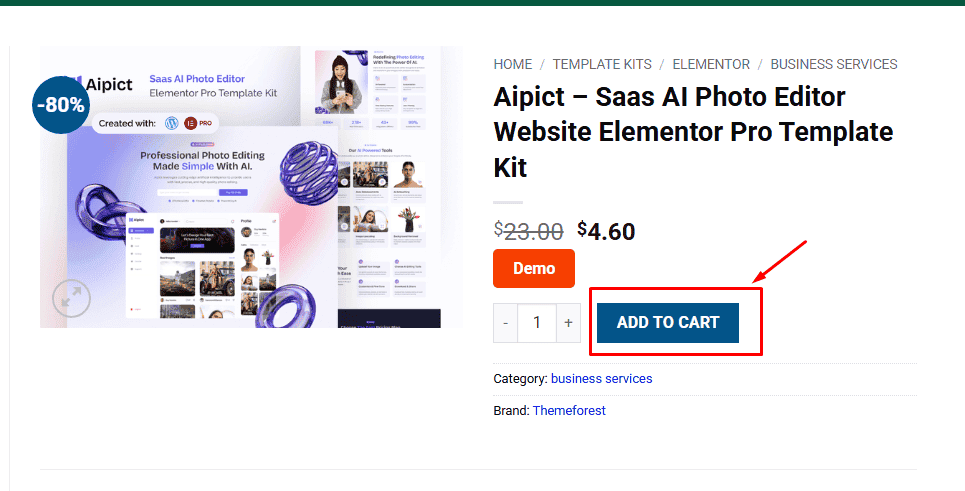
1. Click Add to cart
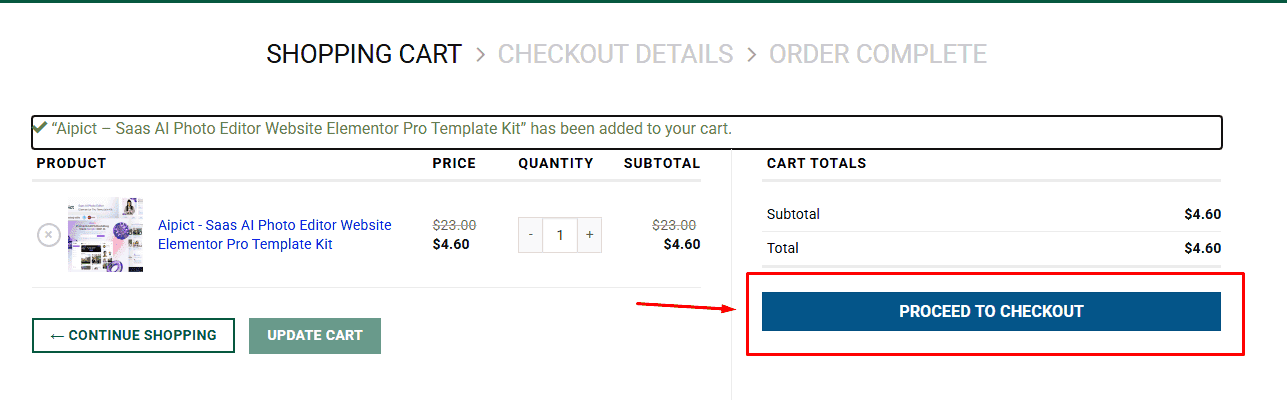
2. Review your items and click Proceed to checkout
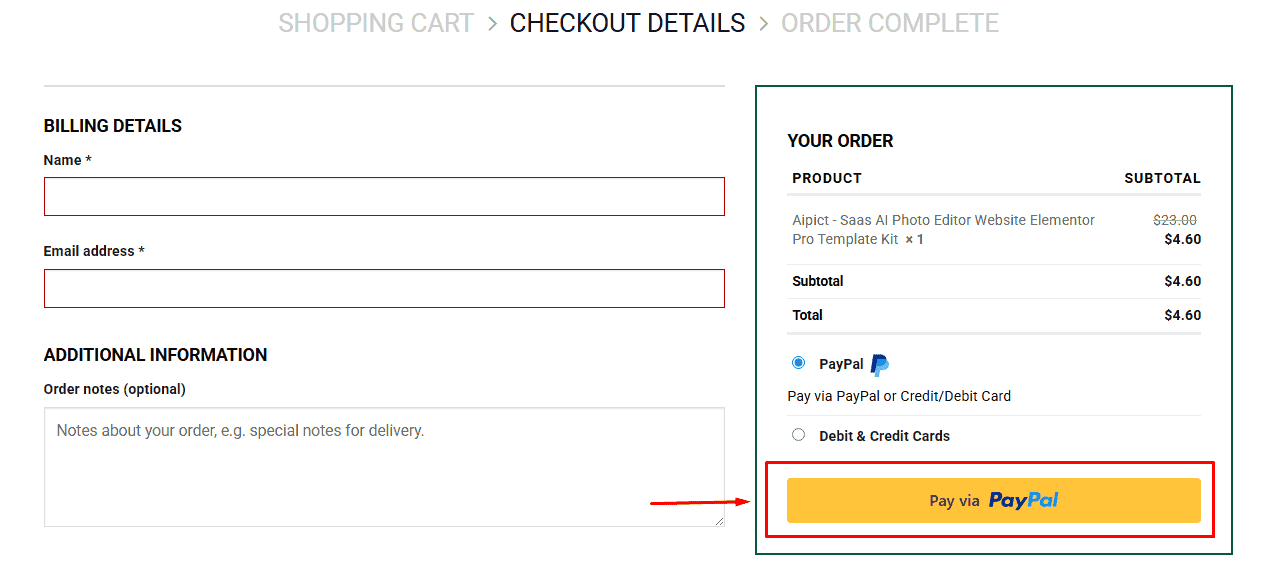
3. Fill in your billing details: Name, Email, and Password
4. Choose your preferred payment method
5. Click Pay via Paypal to proceed
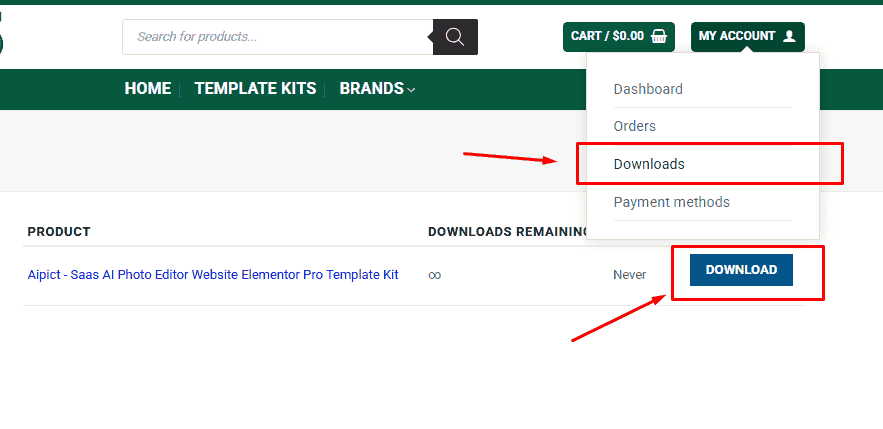
6. Access Downloads to get your files
Related products


