
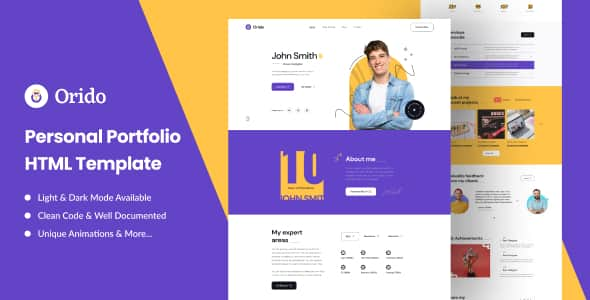
Orido – Personal Portfolio Template | Minimal HTML5 Layout
Original price was: $25.00.$5.00Current price is: $5.00.
Freelancers and creative agencies often need a clean, lightweight personal site that loads fast without the overhead of heavy CMS plugins. Orido is a static HTML5 and CSS3 personal portfolio template designed to display projects, services, and creative work with smooth animations and responsive navigation.
Orido is a static HTML5 portfolio template built with semantic code and CSS3 transitions. It solves performance bloat by offering a clean, developer-friendly layout for showcasing personal projects and agency services. This template is best suited for web developers, freelancers, and UI/UX designers who prefer editing source code directly. It is not suited for non-technical users seeking a drag-and-drop WordPress theme.
Technical Specifications
| Core Feature | Specification Detail |
|---|---|
| Template Format | Static HTML5 & CSS3 Template |
| Layout Responsiveness | 100% Fully Responsive across Desktop, Tablet, & Mobile |
| Coding Standard | Clean, Semantic, Developer-Friendly Markup |
| Typography | Google Fonts (Montserrat & Muli) |
| Icon Library | Flaticon Vector Icons |
| Documentation | Included step-by-step documentation |
| Updates | Free Template Maintenance Updates |
Key Features & Functional Highlights
- Responsive Breakpoints: Adapts automatically to modern screen dimensions with clear mobile navigation elements.
- CSS3 Animations: Integrated visual cues and transition effects to highlight key work experience and portfolio items.
- Search Engine Friendly: Structured semantic HTML tags designed for clean search engine parsing and fast initial paint times.
- Sticky Navigation Bar: Header controls stay visible during page scroll for intuitive user navigation.
- Organized Codebase: Logical file organization makes changing text, colors, and layout blocks straightforward inside any code editor.
Editing Requirements & Asset Credits
To edit this template, open the downloaded source files in any standard code editor (such as VS Code, Sublime Text, or Bracket). Modify the HTML structure directly to insert your custom copy, layout sections, and project images.
- Fonts Used: Free Google Fonts (“Montserrat” and “Muli”).
- Icons: Free font-based vector icons provided by Flaticon.
- Preview Media: Demo images are sourced from Pexels for preview purposes and are not included in the main project download.
Frequently Asked Questions
Is Orido compatible with WordPress or drag-and-drop page builders?
No, Orido is a pure HTML5/CSS3 template and cannot be installed directly into WordPress as a theme. It requires manual static file deployment or custom integration into a CMS backend by a developer.
Do I need specialized software to edit the template files?
You only need a basic text editor or code editor (such as VS Code, Notepad++, or Sublime Text) to edit the text content, replace images, and alter stylesheet properties.
Are the images shown in the live preview included in the download package?
No, the sample photos are sourced from free stock repositories like Pexels for preview purposes only and are not distributed inside the download archive.
1. Click Add to cart

2. Review your items and click Proceed to checkout

3. Fill in your billing details: Name, Email, and Password
4. Choose your preferred payment method
5. Click Pay via Paypal to proceed

6. Access Downloads to get your files

Related products


