
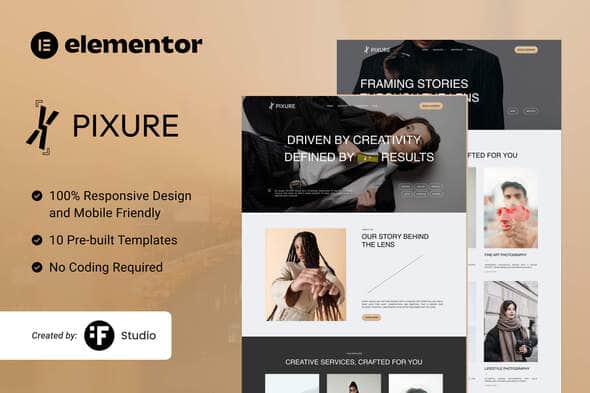
Pixure – Minimalist Photography Portfolio Kit | Elementor Template
Original price was: $29.00.$5.80Current price is: $5.80.
Managing a visual showcase requires a layout that puts high-resolution media front and center without sacrificing site performance. Pixure delivers a stripped-back, typography-focused Elementor template kit built specifically for freelance photographers, visual artists, and creative agencies looking to launch a polished digital portfolio. Built to run on the Elementor page builder alongside supporting utility plugins like ElementsKit Lite and Jeg Elementor Kit, this kit provides a lightweight framework to display image collections cleanly. It is best suited for visual professionals needing a quick, code-free deployment with pre-configured page layouts, but is not intended for users looking for a standalone WordPress theme without plugin dependencies.
| Specification | Details |
|---|---|
| Product Type | Elementor Template Kit |
| Primary Framework | Elementor |
| Included Page Layouts | 10 Ready-to-Use Templates |
| Required Dependencies | Elementor, ElementsKit Lite, Jeg Elementor Kit, Metform |
| Layout Adaptation | Fully Responsive (Desktop, Tablet, Mobile) |
| Design Focus | Minimalist Photography & Visual Arts |
Core Architectural Features
- Media-First Structure: High-impact imagery layouts engineered to showcase photography without visual clutter.
- Fully Responsive Grid: Auto-adjusting design elements that maintain proportional balance across mobile, tablet, and desktop screens.
- Form Integration: Built-in compatibility with Metform for quick setup of client inquiry and contact forms.
- No-Code Customization: Adjust site typography, color palettes, spacing, and gallery positions directly inside the Elementor visual interface.
- Optimized Asset Loading: Clean layout structures designed to keep DOM size minimal for efficient loading speeds.
Included Page Templates
- Home Page: Primary landing layout designed for high-impact visual introductions.
- About Us: Layout for artist biographies, studio background, and creative vision.
- Portfolio: Main showcase grid for organizing photo galleries and visual projects.
- Services: Structural overview detailing photographer offerings and creative packages.
- Service Details: Dedicated page layout for specific service breakdowns.
- Client Testimonials: Layout designed to display client reviews and social proof.
- Pricing Plans: Structured tables for session rates and package costs.
- Blog & Single Blog: Content templates for sharing photography tips, project behind-the-scenes, and studio news.
- Contact Us: Integrated inquiry template ready for custom form fields.
- 404 Error Page: Styled utility layout to route lost visitors back to active pages.
Installation & Usage Notes
Deploying Pixure is straightforward using the standard Envato Elements plugin inside your WordPress dashboard. Import the template kit file, allow the system to automatically install missing plugin dependencies (including Metform and ElementsKit Lite), and assign individual templates to your corresponding WordPress pages. Note that demo images are placeholder assets intended for visual setup; replace them with your own photographic assets before publishing your live site.
Frequently Asked Questions
Is Pixure a standalone WordPress theme?
No, Pixure is an Elementor Template Kit containing pre-designed page layouts. You must have WordPress installed along with the free Elementor plugin and the specified auxiliary plugins to import and use these templates.
Do I need coding experience to customize these layouts?
No coding knowledge is required. All visual components, typography, colors, and layout structures can be edited visually using Elementor’s drag-and-drop interface.
Are demo images included with the template kit import?
Demo images sourced from Envato Elements are included for preview purposes within the template files. You should replace these placeholder images with your own licensed or original photography prior to launching your site.
1. Click Add to cart

2. Review your items and click Proceed to checkout

3. Fill in your billing details: Name, Email, and Password
4. Choose your preferred payment method
5. Click Pay via Paypal to proceed

6. Access Downloads to get your files

