
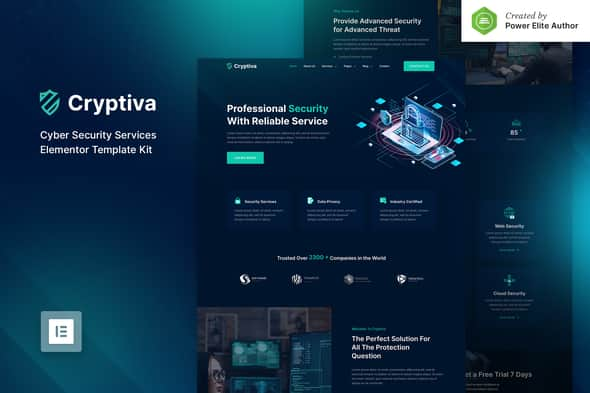
Cryptiva – Cyber Security Services Elementor Template Kit | Clean UI
Original price was: $29.00.$5.80Current price is: $5.80.
Setting up a security agency portal often requires structuring complex service offerings alongside compliance documentation without bloated page code. The Cryptiva Elementor Template Kit delivers a modular design system tailored specifically for IT risk management firms, cybersecurity consultants, and digital protection agencies. Built for the free version of Elementor, this kit provides a complete layout framework without requiring expensive pro plugin licenses.
Cryptiva is a ready-to-use Elementor template kit designed for cybersecurity companies, managed security service providers (MSSPs), and IT compliance consultants. Running on WordPress with Elementor, Jeg Elementor Kit, ElementsKit Lite, and MetForm, it provides 15+ pre-designed layouts to quickly launch agency websites. It is best suited for security professionals seeking code-free layout setup, but not intended for non-WordPress environments or users looking for standalone PHP themes.
| Property | Specification |
|---|---|
| Product Type | Elementor Template Kit |
| Template Count | 15+ Ready-to-Use Layouts |
| Page Builder Compatibility | Elementor (Free Version) |
| Required Plugins | Elementor, Jeg Elementor Kit, ElementsKit Lite, MetForm |
| Responsive Support | Fully Responsive & Retina Ready |
| Browser Compatibility | Chrome, Firefox, Safari, Opera |
| Current Version | v1.0.1 |
Included Page Layouts & Components
The kit features a comprehensive set of pre-configured pages and functional content blocks:
- Core Pages: Home, About Us, Services, Service Details, Pricing, Our Team, FAQ, Contact, 404 Page
- Blogging Layouts: Blog Archive, Single Blog Post
- Theme Elements: Header Template, Footer Template, MetForm Contact Block, Global Theme Style Settings
Technical Features & Requirements
Designed for quick deployment and straightforward customization, Cryptiva includes several operational features:
- Free Plugin Stack: Operates entirely on free add-ons, eliminating the requirement for an Elementor Pro subscription.
- Responsive Layout Engine: Formatted for precise visual display across mobile devices, tablets, and desktop displays.
- Cross-Browser Compatibility: Verified for layout consistency across Chrome, Firefox, Safari, and Opera browsers.
- MetForm Integration: Built-in form blocks allow seamless form embedding for service inquiries and user consultations.
Installation & Setup Instructions
Follow these steps to import and configure the template kit on your WordPress installation:
- Install and activate the Envato Elements plugin from your WordPress dashboard under Plugins > Add New.
- Upload the kit zip file directly through Elements > Installed Kits without unzipping the package.
- Select the Install Requirements button to activate required plugins prior to importing templates.
- Import individual page templates one at a time to ensure optimal import reliability.
- To configure forms, import the MetForm block templates, open the destination page in Elementor, locate the MetForm widget, select your imported form layout, and save updates.
Changelog & Update History
v1.0.1 (28/04/2021)
- Fixed template rendering on single blog posts.
v1.0.0 (11/03/2021)
- Initial product release.
Frequently Asked Questions
Does Cryptiva require an Elementor Pro license?
No, Cryptiva is configured to work entirely with free plugins, including the standard version of Elementor, Jeg Elementor Kit, ElementsKit Lite, and MetForm. You do not need a paid Elementor Pro license to use any included template.
Are demonstration images included in the template import?
The template kit utilizes stock photography sourced from Envato Elements for preview purposes. To use these specific assets on a live website, you must license them separately or swap them with your own company images.
How do I update global site styles like colors and fonts?
You can adjust colors and typography globally by opening the included Global Theme Style template within the Elementor editor. Any changes saved in the global styles will apply across all imported page layouts.
1. Click Add to cart

2. Review your items and click Proceed to checkout

3. Fill in your billing details: Name, Email, and Password
4. Choose your preferred payment method
5. Click Pay via Paypal to proceed

6. Access Downloads to get your files

Related products


